

A Guide to Removing a Bezel-Set Stone
In the Hot Seat
How to minimize damage when unsetting a bezel-set gemstone
By Jeanette K. Caines
Unsetting a bezel-set gemstone is something that you might not do often, but it is more than likely to come up eventually. Potential reasons for unsetting are a cracked or damaged stone, correcting issues with an improperly set stone, resizing a ring, or needing to repair damage to a piece without endangering the stone with heat. It’s also a process that can be tricky since it involves sticking a tool between the stone and its setting and applying pressure to create a space be-tween them. You run the risk of not only scratching or damaging the stone, but also possibly damaging the setting, which you may need or want to preserve. Let’s take a look at one way to unset a stone that can help minimize the risk of damage.
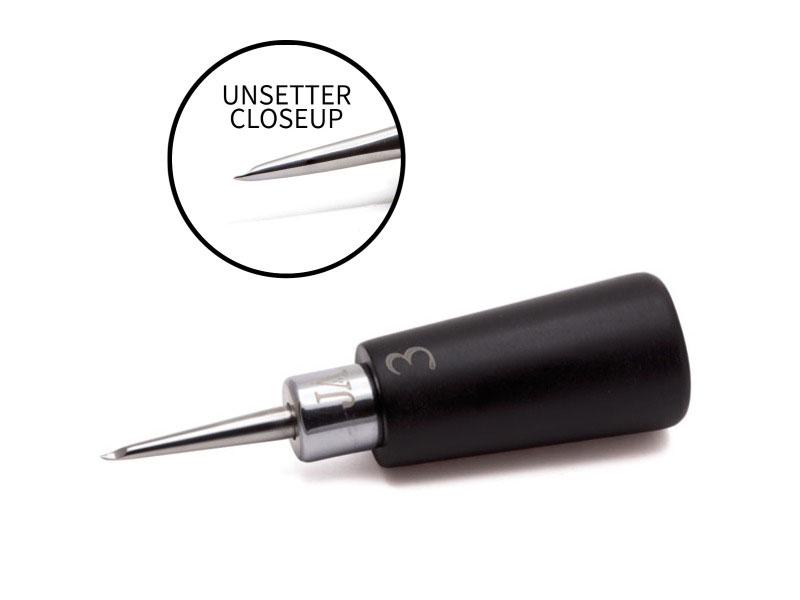
1. The first step in unsetting a gemstone is making sure you have the proper tool for the job. I recommend creating an un-setting tool, which is a highly polished wedge. I’m using one that I created as part of a Master Setting Tools Set for my studio, but you can easily make your own tool. Take a scriber or other thin steel tool and file the end to a tapered wedge shape. File and sand it with 400 grit sandpaper so that there are no sharp edges, and then polish to a very high shine. Any scratches or sharp edges on the tool will scratch the bezel setting and possibly the stone, so it’s critical that the tool be as smooth as possible.
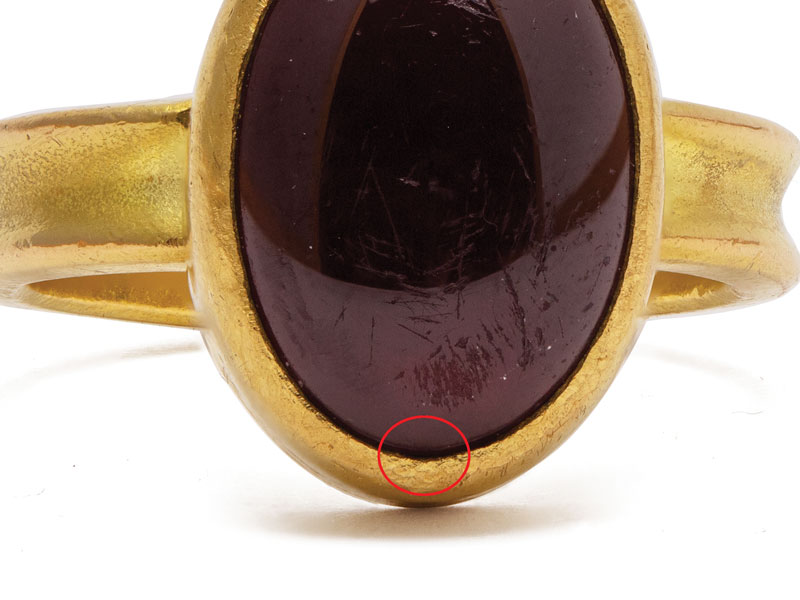
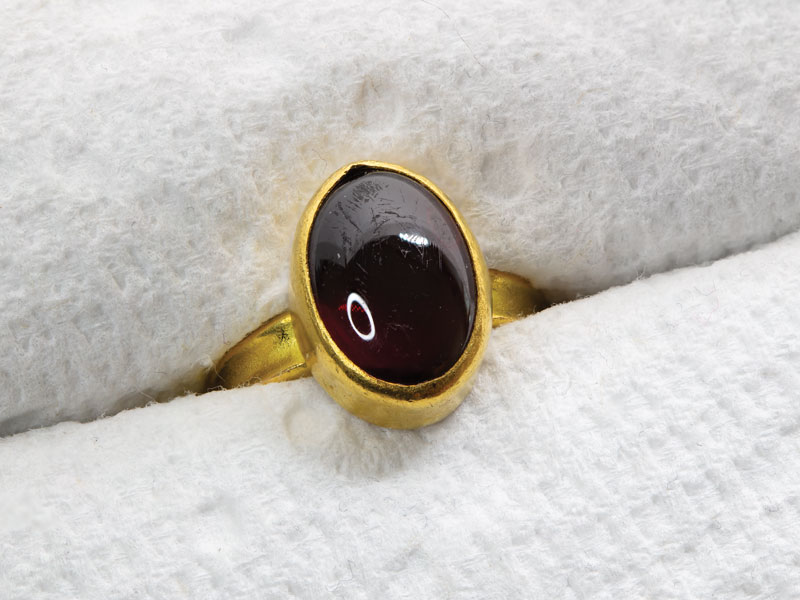
2. Before unsetting the stone, take a long, careful look at both the setting and the stone. The hardest part of unsetting a stone is getting the tool inserted into the bezel without too much damage, which makes choosing a starting point important. Although in theory, every bit of the setting should be completely tight around the stone, in practice that may not be true. In this particular project, I’m opting to begin unsetting the stone at the base of the ring (circled in the image), as this spot looks like the easiest path of entry. The bezel is quite tight around the stone but there appears to be a tiny bit of space between the stone and bezel there.
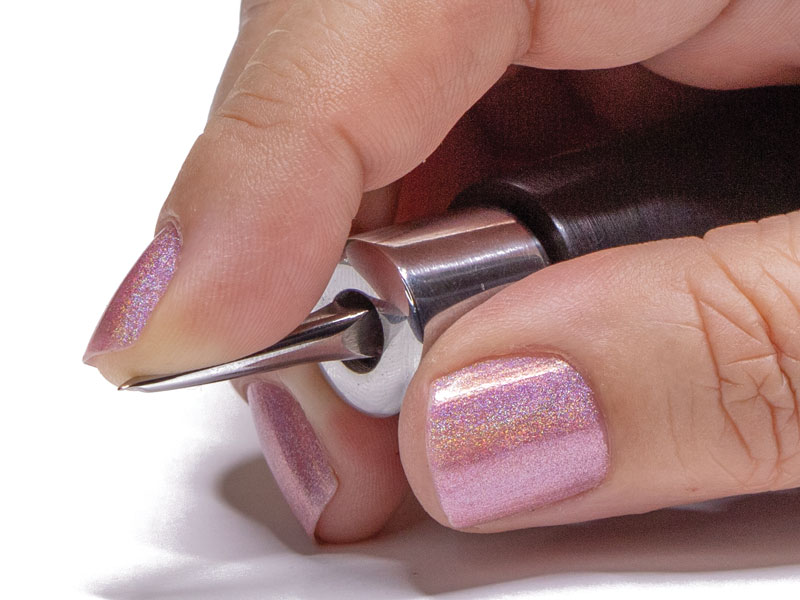
3a. Setting tools should be held in the palm of your dominant hand for greater control and leverage. Your unsetting tool should be no different, so consider adjusting it so it fits your hand the same way mine does.
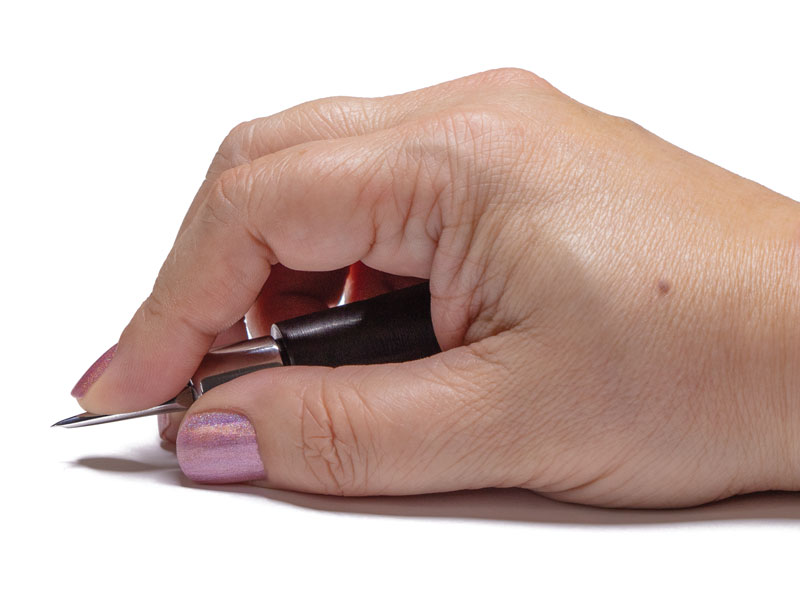
3b. If your tool handle sticks out past your palm, it is too long. The force should travel down from your shoulder and straight through your arm into the tool handle resting in your palm. (One of the benefits to designing your own tool is that you can fit it perfectly to your hands.) In this way, slightly leaning into the tool should provide all of the force you need so all that your fingers need to do is guide the tool.
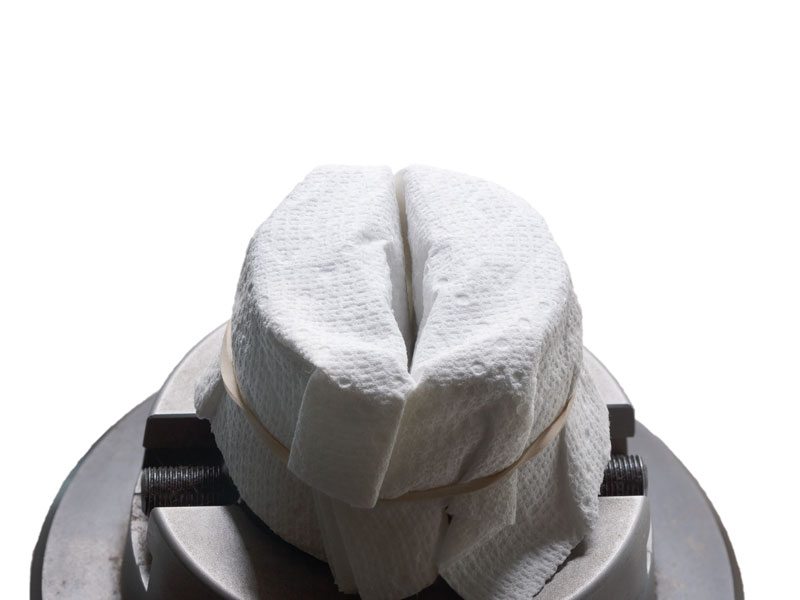
4. Arrange the piece in a sturdy holding device. Here, I’m using an engraving ball that is wrapped with a folded paper towel for a little cushioning. A vise, or whatever you normally use to set stones, will work as well.
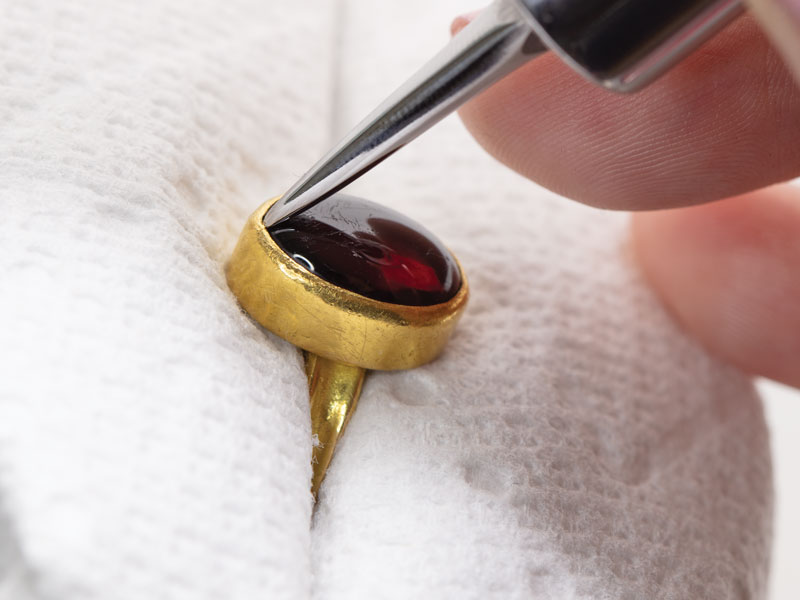
5. Position the tip of the unsetting tool between the stone and the bezel. This is a very small movement, as any attempt to pry the stone loose can lead to a broken stone and mangled bezel. The goal is to slide the tip of the tool between the stone and the bezel and lean in a bit so that the tip is used like a tiny wedge to make a small opening.
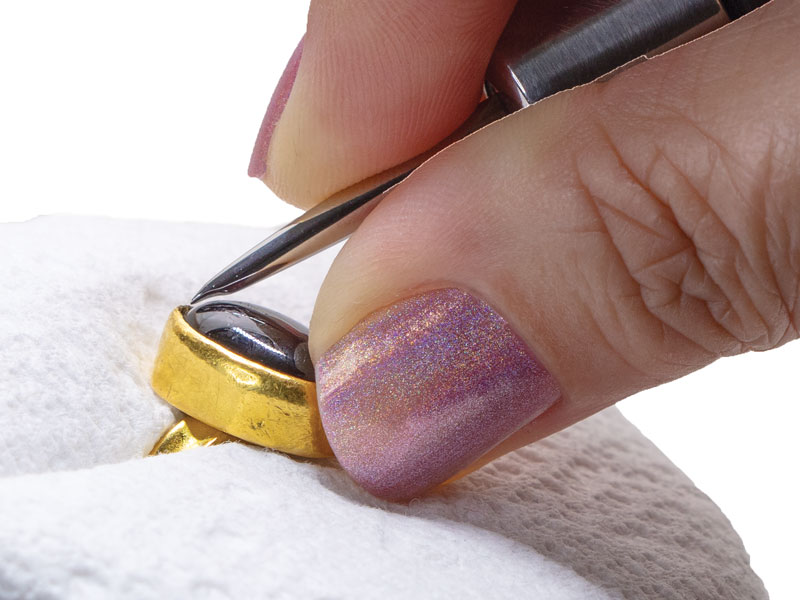
6. It’s important to use the correct hand position when starting to unset. Here, my thumb is braced against the engraving ball and the bezel. My forefinger is resting on top of the tool as a guide and the tool’s handle is comfortably in my palm.
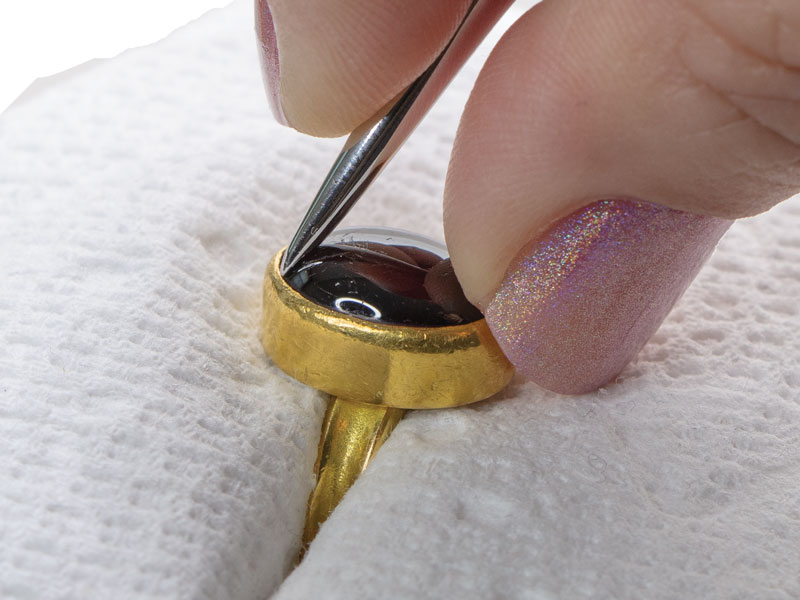
7. Lean in a bit and begin making a small opening between the stone and the bezel.
8. This is the opening with the tool removed. The hardest thing to do is to get that first opening without scratching up the bezel too much.
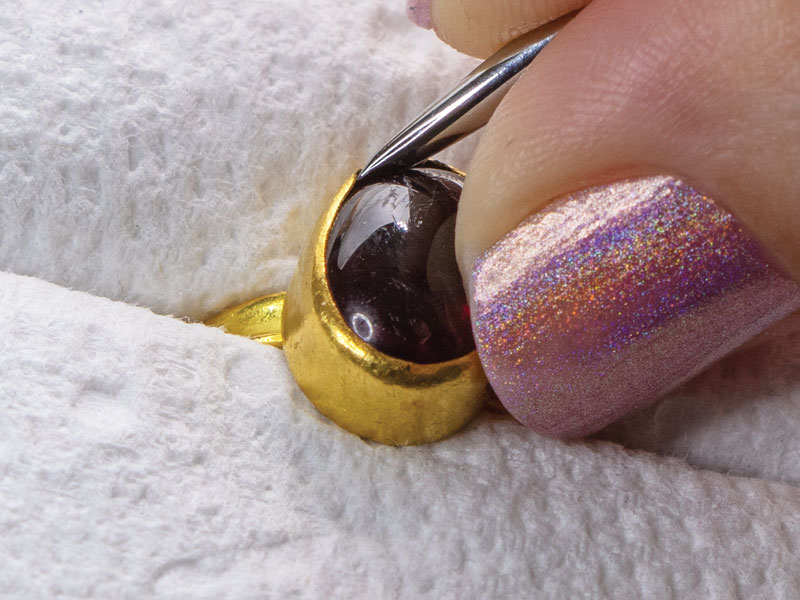
9. Take advantage of the opening to slide the tool gently to one side of it, working counterclockwise around the bezel, so that your hand doesn’t block your view of what you are doing. This way, you can gradually open a space between the stone and bezel around the bezel’s perimeter. This is the least damaging and risky way to unset a stone, as opposed to trying to make multiple points of entry.
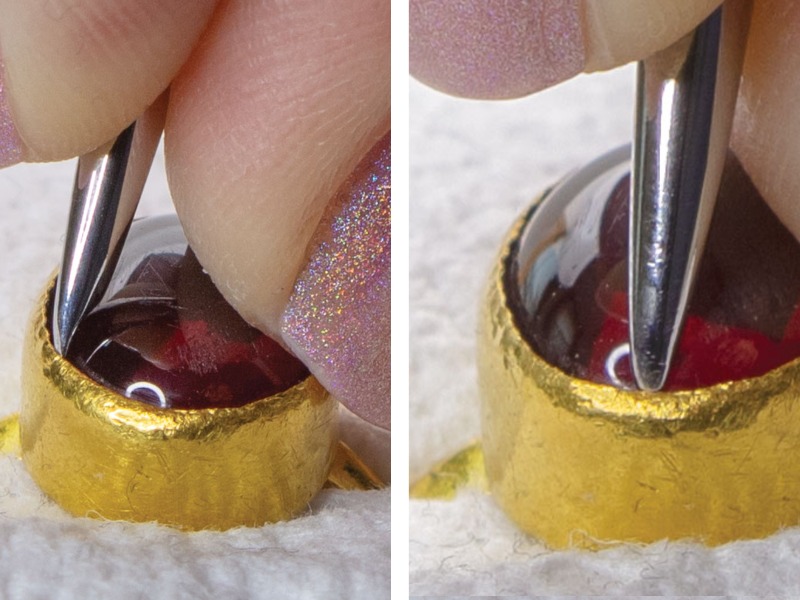
10. Continue this way around the stone. With some settings, after loosening a section you will feel the stone start to wiggle a little. At any point during the unsetting process you can use a large piece of sticky wax to try to pull out the stone if you feel it moving in the setting. In this case, the garnet is still completely immobile so I will continue around the bezel.
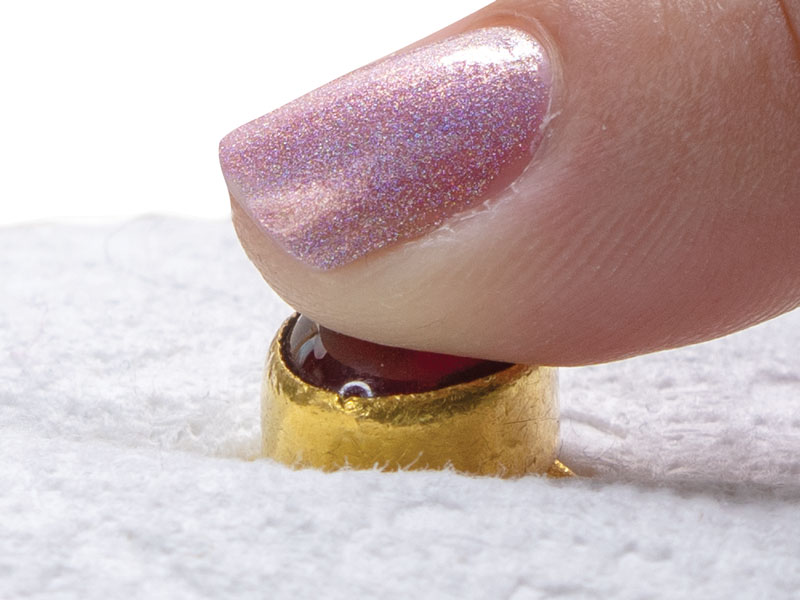
11. Continue working around the stone in a counterclockwise direction. As you work, periodically use your finger to detect any stone movement.
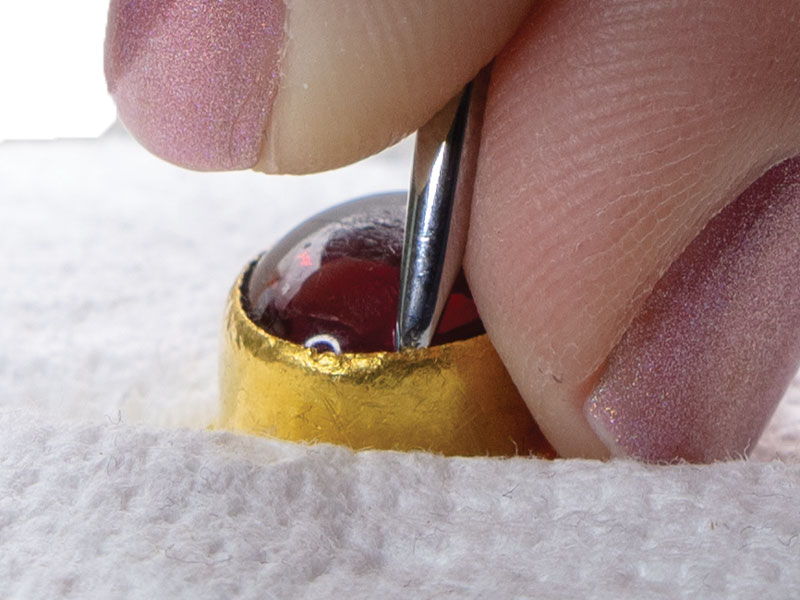
12. Sometimes you will work your way around the entire bezel and the stone remains firmly seated. When dealing with a stubborn stone, return to the original starting point and use the same method, but press the tool a little deeper into the bezel.
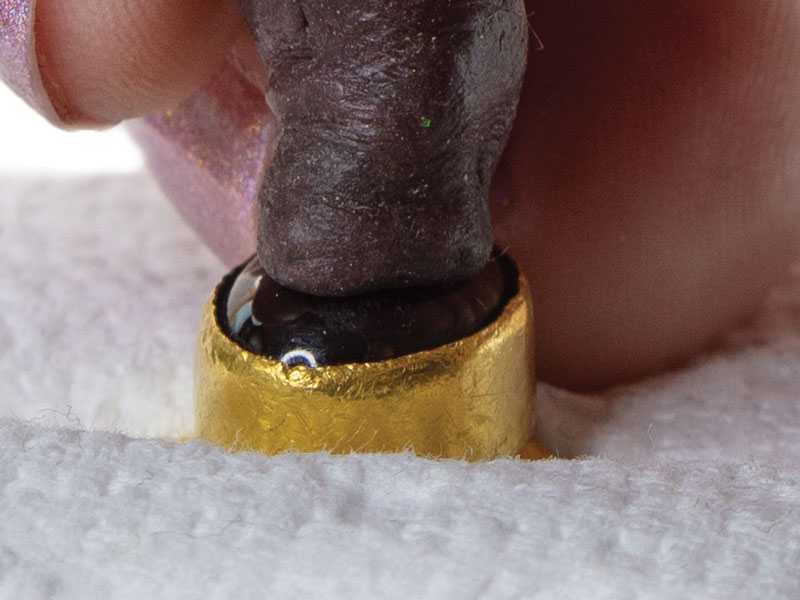
13. Because you now have an opening everywhere around the bezel, you can choose the spots to work on based on where you feel the least movement.
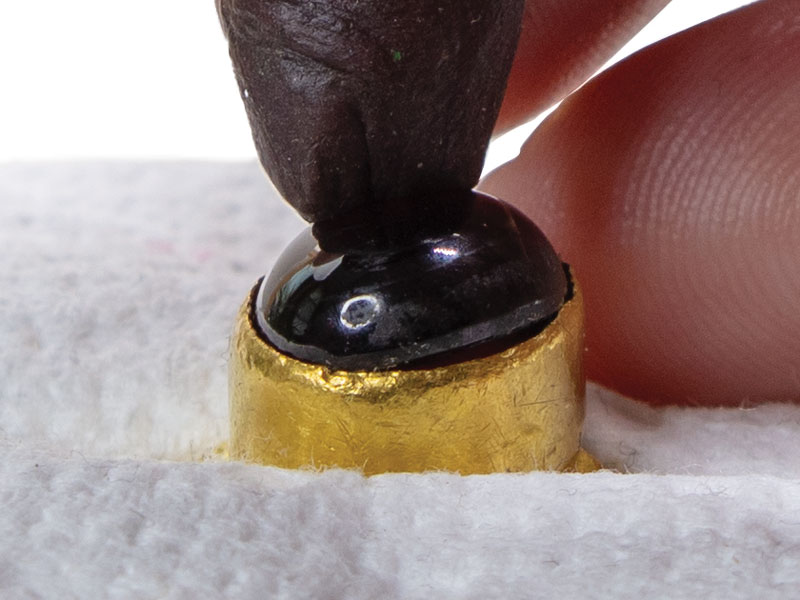
14a. Once you feel enough movement in the stone, use the sticky wax to pull it out.
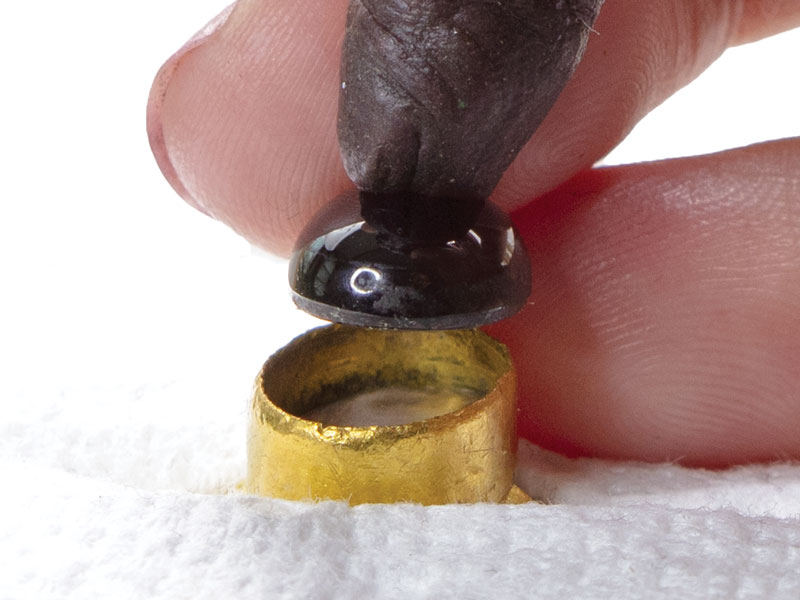
14b. Depending on how well the stone was set, you may need to pull on the stone from multiple positions.
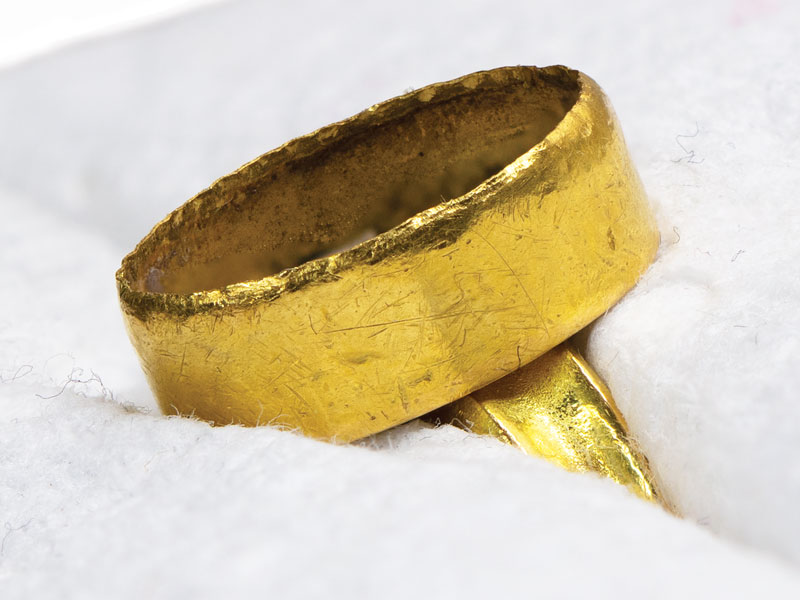
15. After the stone has been removed, clean out any dirt or grime that accumulated inside the bezel. Once it’s clean, you can assess any damage that was done to it. In this example, the bezel is about as damage free as you can hope for, with just a small amount of sanding of the top edge needed. This is a best-case scenario.
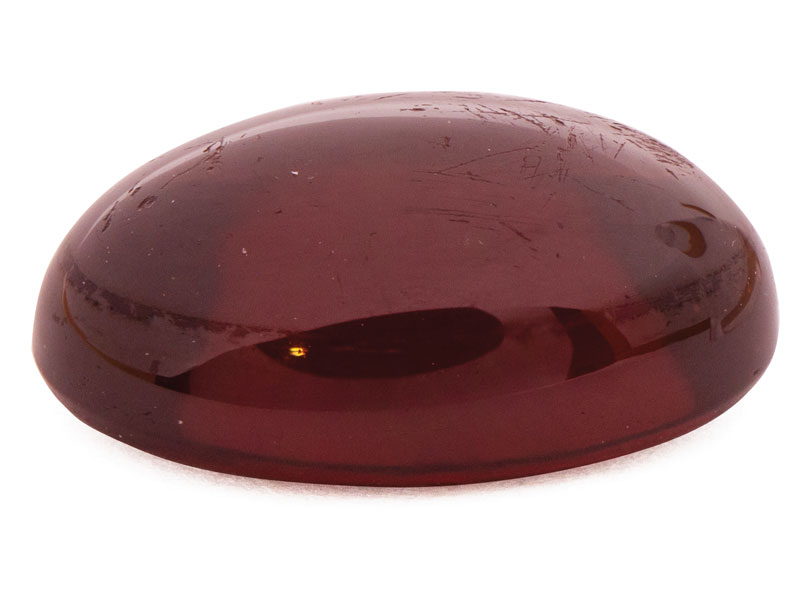
16. Finally, clean off the stone with an alcohol wipe or soft cloth in the case of a sensitive stone and assess its condition. In this case, there are a few scratches on the top of the stone from years of wear but otherwise it is in great condition, with no flaws or scratches further down. The operation was a success.