

Quick on the Draw
Drawing and shading a round gemstone
By Rémy Rotenier
There is nothing like a convincing free-hand sketch. Although computer-aided design (CAD) is a wonderful tool. I don’t believe any program or computer will ever replace the magic of bringing a design to life by hand. Jewelry design is so visual that being able to draw a piece in front of a customer is a great asset. And if you are designing for yourself, learning to draw your vision on paper will help production by helping you better communicate your vision with a CAD artist or model maker.
So forget the templates. Just get a 0.3 mm (good for detailed work) and a 0.5 mm mechanical pencil (good for shading) with HB lead, an eraser, and a rolled paper stump for blending and follow these simple steps.
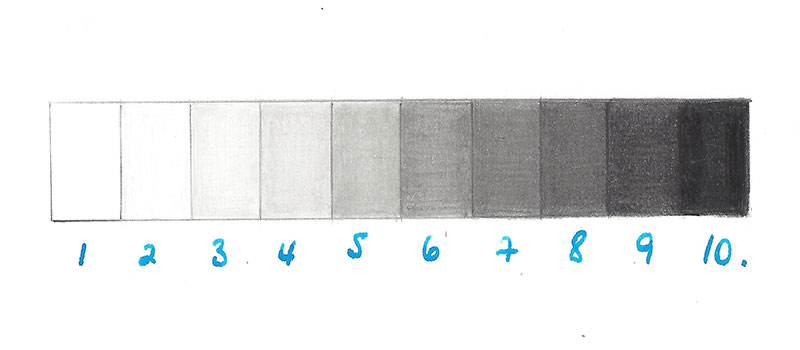
1. Lots of shades can be obtained with a simple mechanical pencil. More pressure on the paper will darken your line, but remember that the pressure of your fingers on the pencil has a similar effect. If you simply relax your grip, the line with lighten. Controlling your values is key.
A great first exercise starts with drawing a rectangle divided into 10 20-mm squares. Fill in the squares with a clear progression in value from 1 to 10, with 1 remaining white and 10 the darkest your pencil will allow. Keep the same value within each square and avoid showing lines by drawing them in different directions (horizontal, vertical, and diagonal). Remember to turn the page whichever way is more comfortable for the movement of the wrist.
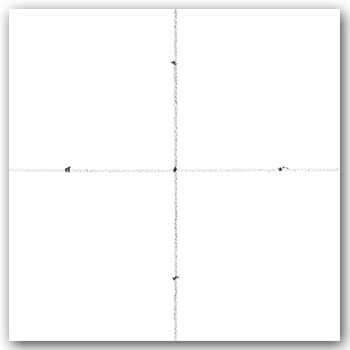
2. A circle fits in a square. On a piece of paper, start by drawing a vertical line with a value of 2 or 3. Then draw a horizontal line crossing the vertical. Mark a small dot at the meeting point of the lines. Place a dot on the side, top, and bottom lines to indicate the middle of each side of the square. You can use a ruler to measure these points but doing it by eye provides practice in evaluating distance.
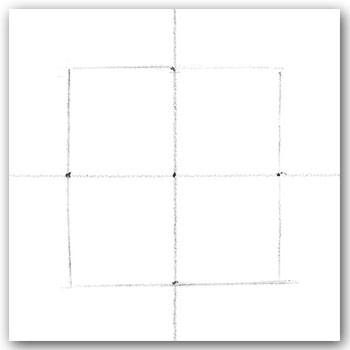
3. Draw the lines of the square using the dots as mid points. As you sketch the lines, if you realize the shape is getting rectangular, then erase and adjust the positions of the dots.
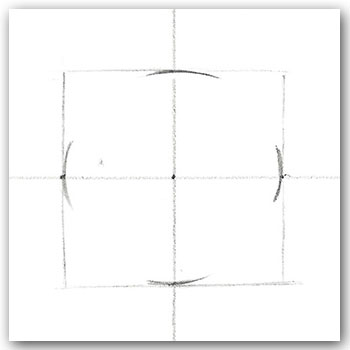
4. At the four intersections (north, east, south, west), mark the arcs of the circle lightly (value 2). You can almost see the circle as your mind fills in the invisible shape.
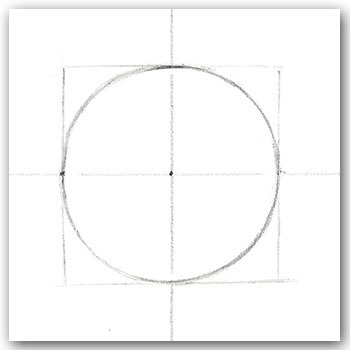
5. Continue drawing (value 4) the circle one quarter at a time. If the shape starts looking oblong or egg-shaped, erase and adjust.
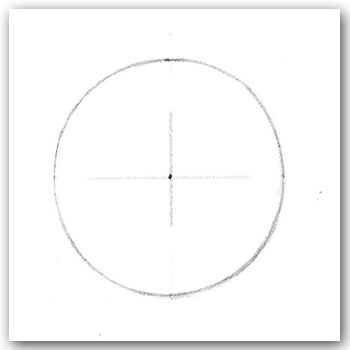
6. Erase the structural lines, keeping the dot and a light cross in the center.
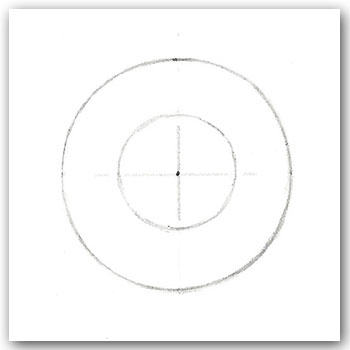
7. The table is the largest facet of the stone. To create it, lightly (value 3) draw a circle within the original one.
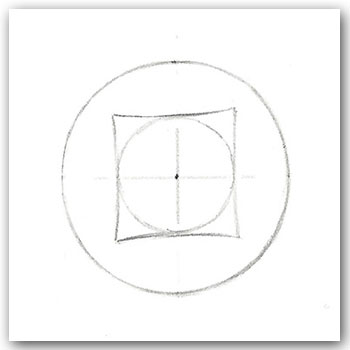
8. Draw a square (value 4) with a slight bend using the smaller circle as a perimeter. Make sure to contain the square within the inner line of the larger circle.
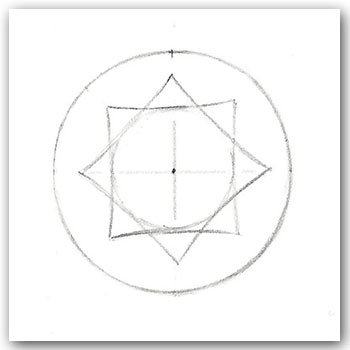
9. Draw a similar square offset 45 degrees over your first square. Also keep it from touching the edge of the outer circle.
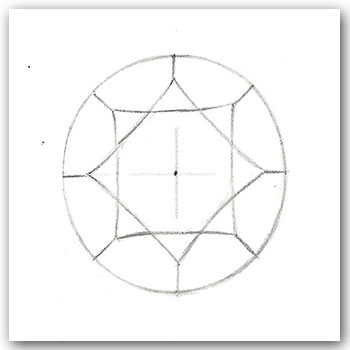
10. Draw straight lines to connect the triangular facets to the circle.
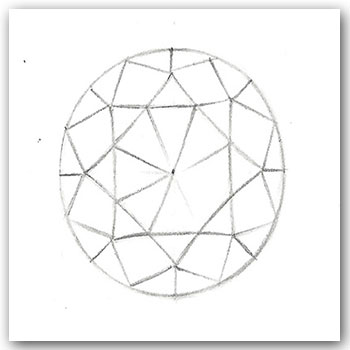
11. Add the diamond-shaped facets and the pavilion ones going toward the culet. Now you are ready for shading.
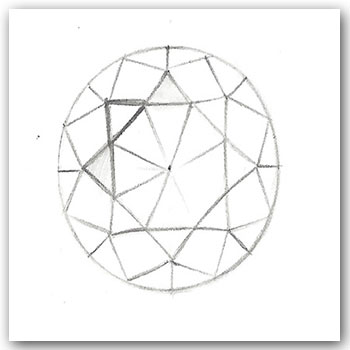
12. Since the Renaissance, the convention for artists and designers for the direction of the light source is 45 degrees from the left. Knowing that, mark the edges of a facet that will remain white; this is the highlighted facet. On either side of the highlighted facet there will be a triangular one that is very light gray (value 3). They indicate where light is present.

13. To understand how light reflects off a transparent object, let’s look at a cabochon. What makes a stone look transparent is that the darkest part is under the highlight. Then on the opposite side the lightness comes back gradually. There is some darkness toward the bottom right but it does not touch the edge. This indicates some reflected light.
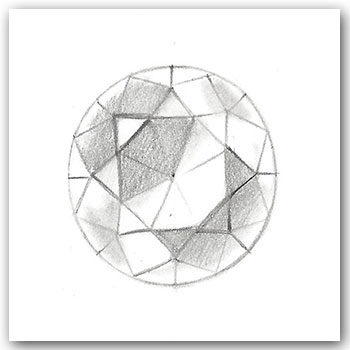
14. Now it’s time to shade the stone. “Sculpt” the stone by starting with a light gray (value 5). Use the paper stump to blend.
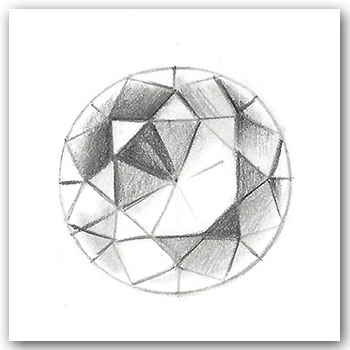
15. Add the darker grays (value 8). Make sure to define the edges of the facets. The paper stump will soften the edges, but you can bring the sharpness back with crisp lines.
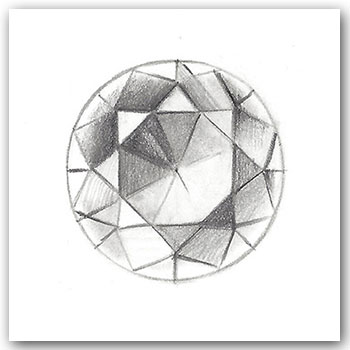
16. Create a fan effect of gray values (values 2 to 8) for the facets of the pavilion.
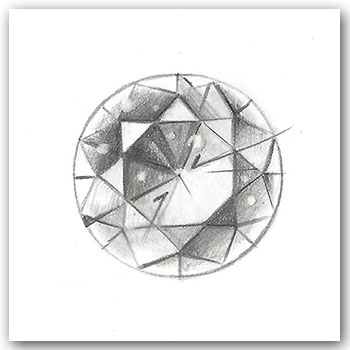
17. Jazz up the stone. Here I created little white dots with a 2.3-mm round eraser. I also added some energetic lines (values 5 to 8) moving out from the center to bring more life to the stone. In my next lesson, I’ll demonstrate how to build a band around the stone.