By Darla Alvarez, Senior Instructor, GIA Jewelry Design and Technology
(Originally Published by MJSA March, 2026)
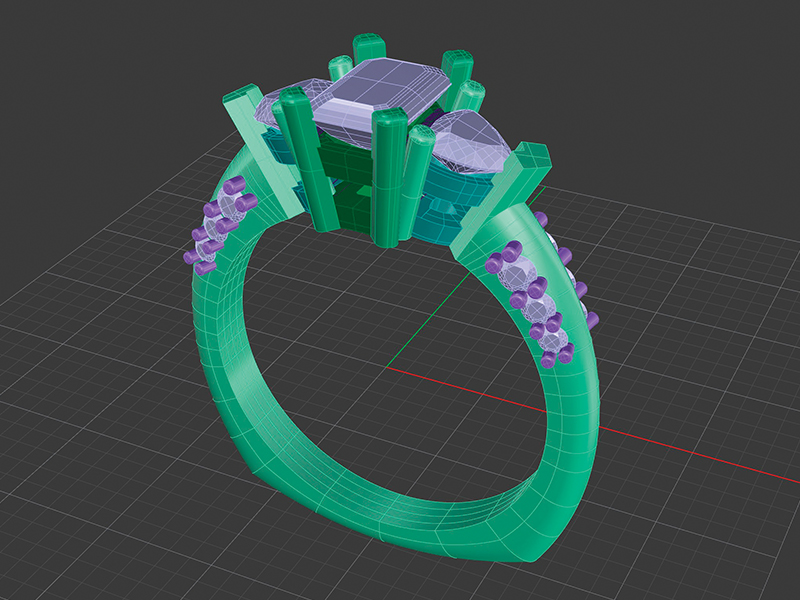
1. “Flow Along Surface” is an excellent tool for placing objects onto a model’s surface. In this example, the side melee gems are positioned using this command. We will examine how the isocurve layout impacts the way objects are morphed onto a target surface.
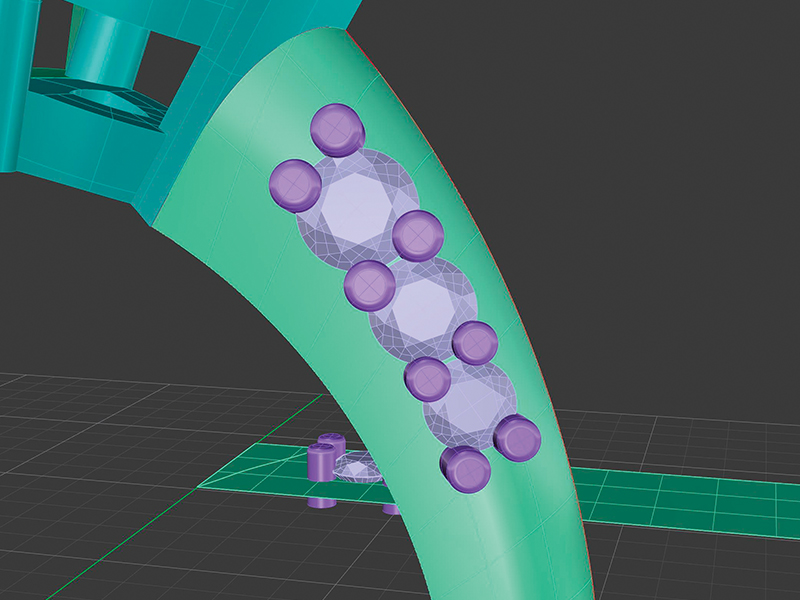
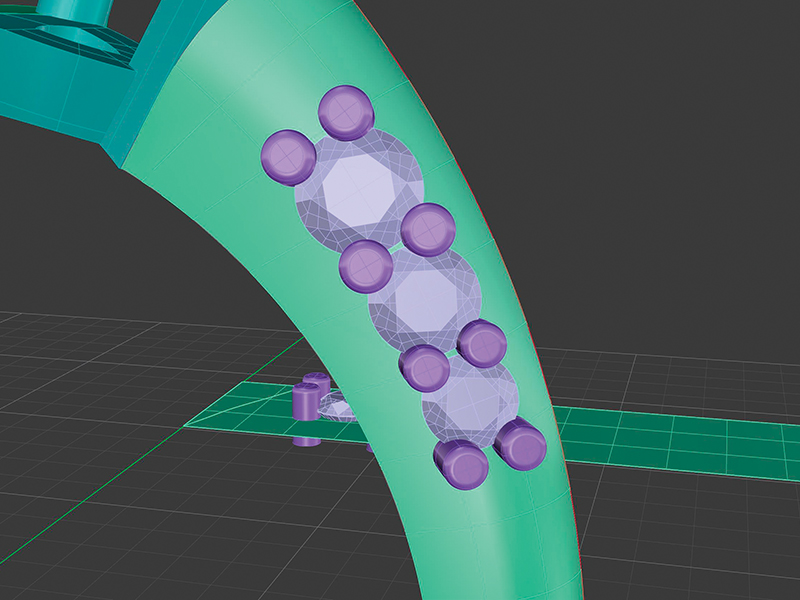
2. At this stage, the shank, target surface, and base surface have been created. The target and base surfaces share matching UVN directions and were rebuilt with the same UV count and degree. “Flow Along Surface” was used to place the gems and prongs onto the side of the shank. At first glance, everything appears to be correct. However, closer inspection shows that the prongs are not properly aligned with the gems.
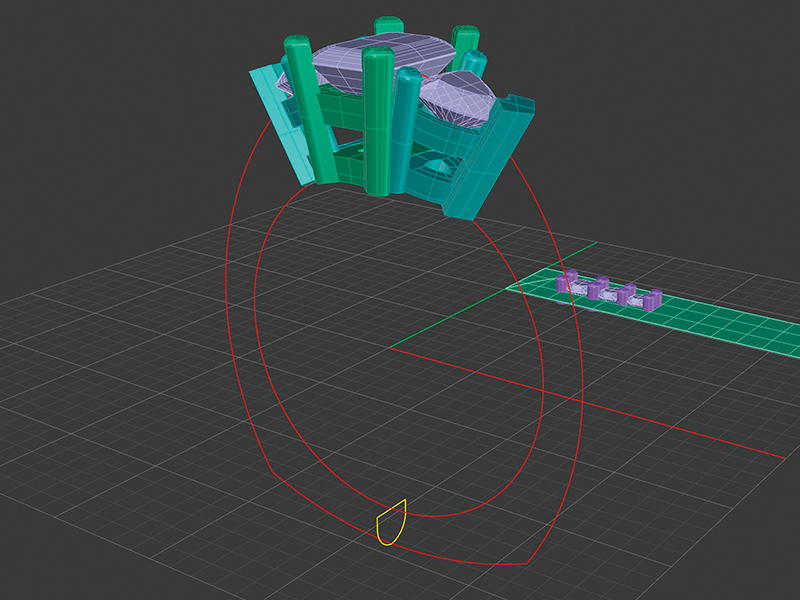
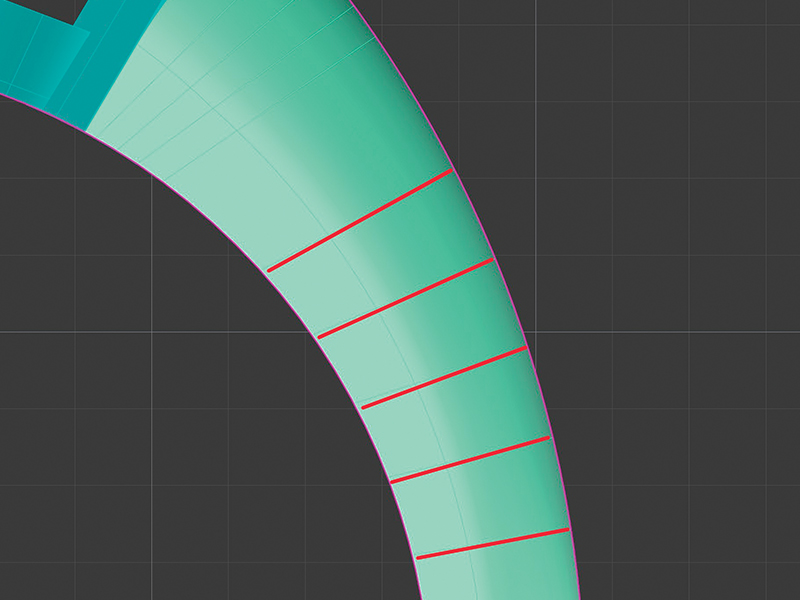
3. Turning off visibility for the gems and prongs, the issue becomes clear: the isocurves are angled on the surface. Because this shank was created using “Sweep 2,” the isocurves (red) are not perpendicular to the rails (pink). As a result, the prongs align along the same angle as these isocurves.
4. To correct this, we need to create the shank again but with a better isocurve layout. After deleting the shank, target surface, gems, and prongs, we are left with the original two rails and sweep shape.
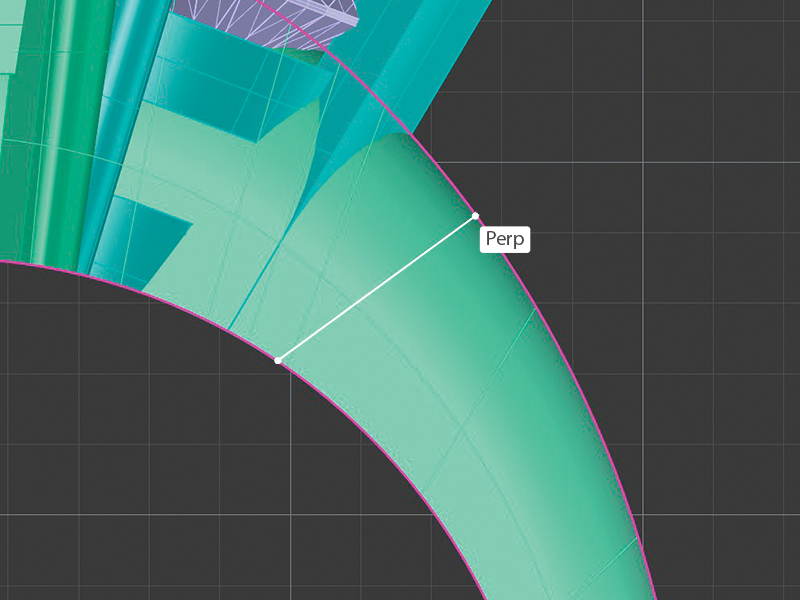
5. We will use the “Sweep 2” dialog box option “Add Slash” to control how the surface is aligned between the two rails. A “Perpendicular” snap helps align the surface more evenly between the rails. As each slash is added, the isocurve layout updates to reflect the new alignment.
6. The isocurves now lie perpendicular to and between the rails, creating a more uniform surface layout that will give the best flow result.
7. Now a new target surface can be created, aligned in direction, and rebuilt to match the base surface, and the gems and prongs can be flowed again. This time, the prongs are properly aligned to the gems, a direct result of our efforts to correct the isocurve layout. The more care we put into our target surface, the better our objects will flow.
Darla Alvarez is a 23‑year jewelry industry veteran with experience as both a bench jeweler and CAD modeler. She is currently a senior instructor and curriculum developer for the GIA Jewelry Design & Technology program in Carlsbad, California.
Manage Consent
To provide the best experiences, we use technologies like cookies to store and/or access device information. Consenting to these technologies will allow us to process data such as browsing behavior or unique IDs on this site. Not consenting or withdrawing consent, may adversely affect certain features and functions.
Functional
Always active
The technical storage or access is strictly necessary for the legitimate purpose of enabling the use of a specific service explicitly requested by the subscriber or user, or for the sole purpose of carrying out the transmission of a communication over an electronic communications network.
Preferences
The technical storage or access is necessary for the legitimate purpose of storing preferences that are not requested by the subscriber or user.
Statistics
The technical storage or access that is used exclusively for statistical purposes.The technical storage or access that is used exclusively for anonymous statistical purposes. Without a subpoena, voluntary compliance on the part of your Internet Service Provider, or additional records from a third party, information stored or retrieved for this purpose alone cannot usually be used to identify you.
Marketing
The technical storage or access is required to create user profiles to send advertising, or to track the user on a website or across several websites for similar marketing purposes.
A Fresh Look. A New Website. A Stronger Membership.
We’re excited to unveil Jewelers of America’s refreshed brand and redesigned website, reflecting our growing community and continued commitment to the jewelry industry.
With JA and MJSA now united under one membership, we’re bringing together more resources, expertise and connections to support every facet of the jewelry industry.
Take a look around to see all that JA offers — members can login to access member-only content like benefits, the Knowledge Vault and Advocacy resources.
Questions? Contact us at members@jewelers.org or call/text (800) 223-0673.