

Tips for Simplifying Tool and Equipment Care
Protect Your Investment
Extending the lives of your tools and equipment
By Sharon Elaine Thompson
(Originally Published by MJSA May 2024)
Maintaining jewelry manufacturing equipment was a lot simpler in the days when wax carvers, torches, and hand tools were the industry standard. For much of the industry today, however, casting machines, kilns, vacuum machines, 3-D printers, laser welders, and engravers have become much more common, much more complex, and much more important to maintain. There are flash lamps, sensors, filters, thermocouples, seals, lubricants, and cooling systems to keep an eye on, all of which follow different maintenance schedules: daily, weekly, monthly, yearly, or even every several years.
Yet confusing as it might be, it’s vital to keep up with the maintenance on these pieces of equipment. If you don’t, the price can be high.
A failing resin tray in a 3-D printer can flood your machine with resin, says Scott Bradford, a jewelry tech specialist at Rio Grande in Albuquerque, New Mexico. This can result in costly repair or replacement not to mention production stoppage, delivery delays, and unhappy customers.
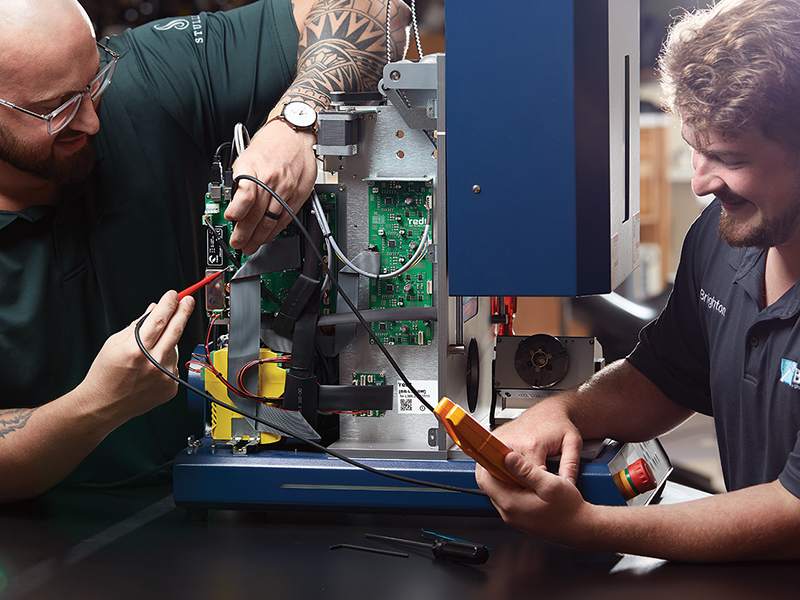
To make maintaining equipment easier, read the manual and store the specific tools needed to open the equipment or to remove and replace parts nearby.
A failed crucible can cause dramatic damage to a casting machine, leaving molten metal stuck in the chamber or filter, says Gregg Burgard, another jewelry tech specialist at Rio. Not only do you lose the metal, but there is also the lost production from the casting run, and the cost to repair or replace the machine. Less obvious, he says, poor maintenance practices will slowly decrease the quality of the product and increase the length of the production time.
These machines are “an investment that a company is making, no matter how small or large the company. You want to take care of that investment. You want it to make you the money that you invested into it, and a lot more, and see it continue throughout years of usage and profitability,” says Jacob Dupuis, director of sales at Stuller in Lafayette, Louisiana.
So, how do you schedule all this maintenance so that it takes place on time; prevents damage to the machine, a slowdown, or halt to your production; and protects your investment and keeps the machines running at peak efficiency?
Always Read the Manual
Start with the manual. The manual will tell you how to run the machine safely; what parts need to be serviced, cleaned, or replaced and how often; and what tools and materials you need to service them.
When it comes to casting machines, vacuum investing equipment, laser engravers and welders, 3-D printers, and any other equipment you are adding to your business, you are dealing with expensive and complex pieces of equipment, so always read the manual.
“Simple as that one sounds, it is not. Common sense is not always that common,” says Dupuis. “A manufacturer that’s been in business for a long time will typically have developed all of the things that you need to do. There is nuance to it.” And they’ll have put that in the manual.
This is why, he says, that even if you’ve bought something like a laser welder before, but you’ve never had this exact laser welder, it’s important that you read the manual for the new machine. This is especially true if you’re using a different brand of welder (or any other type of equipment), but it’s true even if you’re buying a new version of the machine you’ve used for years. The manufacturer may have made some tweaks to the machine or changed some parts that require a different maintenance schedule than the previous machine. “When you get a piece of equipment, read the manual,” says Dupuis. If anything in it is unclear or confusing, “ask the relevant questions. Make sure that you’re getting clarification.”
Keeping Tabs on the Tasks
Once you’ve read the manual, from start to finish, it’s time to plan your maintenance schedule.
With the rise of high-tech equipment, you might expect there is a high-tech way to track maintenance as well. Surprisingly, you’d be wrong. Though a company that already uses a work management software to track all aspects of their business, from ordering to delivery to inventory, might also use it for tracking equipment maintenance, when we ask Dupuis if Stuller uses some kind of maintenance management software to coordinate its equipment care schedule, “The short answer is: no,” he says. “With the breadth and diversity of technology and equipment we employ at Stuller, we still largely rely on department leads and equipment users to keep a watchful eye on the equipment and spot the tell-tale signs of maintenance needs.”
When he worked with a small manufacturing company, Burgard says they used a calendar on the wall to chart maintenance. Every other Friday, the calendar was marked so that Burgard would change the oil in the investing vacuum pump.

Flex-Shaft Maintenance
The following are basic equipment guidelines; none of these suggestions supersede the instructions from the manufacturer.
- Lubricate the shaft after every 40 to 50 hours of use (or monthly) with a light application of shaft grease.
- Replace the motor brushes when they have reached 1/4 inch.
- Replace worn shafts and sheaths.
- If your flex-shaft has carbon brushes, always keep an extra pair on hand. Put them in a plastic bag and twist-tie them right to the flex-shaft so you always know where they are.

Vacuum Casting Machine Maintenance
The following are basic equipment guidelines; none of these suggestions supersede the instructions from the manufacturer.
- Keep the bell jar and all the rubber pads clean and free from investment. This is where the vacuum seal is made.
- Change the vacuum pump oil when it gets cloudy.
- Drain the water out of the pump frequently. If when checking the sight glass you see separated oil and water, open the drain valve until the fluid that comes out is all oil with no water bubbles in it. Close the valve and refill the oil reservoir to the proper level.
Setting reminders in the calendar app in your phone can also work, says Bradford. You probably already use Google or Outlook for personal reminders. You can use them to set up your maintenance schedule, too, for months or even years in advance.
Manual processes can be problematic for large businesses, however, says Dupuis. “There’s no guarantee that the person who’s scheduling the calendar reminder or maintaining the spreadsheet is going to be there at the company, quite frankly, going forward,” he says. “Especially at larger corporations, sometimes it’s a little bit difficult to future proof.”
Also, phone reminders are easy to delete. How many times have you dismissed a reminder on your phone, telling yourself you’ll get to it in five minutes or by the end of the day?
“That’s why we default to things like putting reminders on the machine itself,” says Dupuis. “I find that if it’s not physically on the machine, it likely will not be adhered to,” he adds, showing a clear-eyed understanding of human nature. “Even if it is on the machine, sometimes it’s easy to lose sight of it.”
Another physical and visual maintenance reminder used by some companies, says Dupuis, is to put a hash mark on the crucibles with a marking pen each time the crucible is used. After so many uses, the crucible is replaced.
Sometimes the vendor or manufacturer will give you a helping hand. Stuller, for example, says Dupuis, offers an auto-reorder service for consumables. Based on the need to replace filters or crucibles or other parts, the customer sets the schedule for the maintenance package to be sent to them. When the package shows up, you know it’s time to replace your consumables.
Stuller also offers a service where they call whenever your maintenance is due. They can then walk you through the service or repair over the phone, or virtually, or, for certain equipment, do the maintenance for you on site.
The responsibility for machine maintenance varies with the type of equipment and the size of the organization. Large companies, such as Rio or Stuller, which run dozens of machines, usually have a maintenance and/or a supply team that keeps the equipment running and sees that all the parts and supplies necessary for that maintenance are always available.
Generally, however, says Burgard, the people who use the equipment are the ones who do the maintenance. “They’re definitely more in touch with what’s going on with those particular machines,” he says. Also, when they are trained on how to use the machine, they are also usually trained on how to maintain it. There should, of course, be someone trained as a backup for when that key person goes on vacation or is out sick.
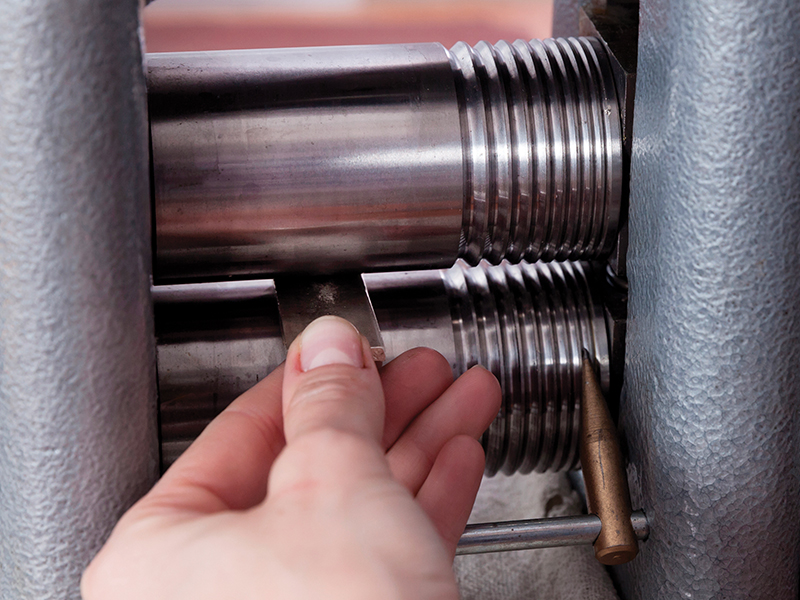
Rolling Mill Maintenance
The following are basic equipment guidelines; none of these suggestions supersede the instructions from the manufacturer.
- If used regularly, wipe down the rollers with a clean cloth and then lightly spray them with a rust preventative spray when you’re done using the mill for the day.
- If the mill is going to sit idle for months, coat the rollers with axle grease to prevent rust.

Laser Welder Maintenance
The following are basic equipment guidelines; none of these suggestions supersede the instructions from the manufacturer.
- Daily: Clean the inside chamber of all debris and excess items. Check that all safety interlocks are working properly.
- Weekly: Wipe out the inside chamber and clean both the lenses on the scope and the protective lens. A buildup of soot or metal on the lens can cause a reduction in efficiency.
- Monthly: Check the de-ionized water level. The water and de-ionized water filters should be changed according to the maintenance plan for the machine, which is usually every six to 12 months.
- Annually: Check air/exhaust filter and flash lamp. Change as needed.
Giving It More Than Required
Though the equipment manual will give you the optimum servicing schedule, there’s nothing that says you can’t better your care of the equipment if you think it is necessary. For example, the owner of the small manufacturer that Burgard worked with many years ago was very fussy about his equipment, says Burgard. He insisted on a more frequent change of oil in the investing vacuum machine than required because as the vacuum draws air out of the mix of water and investment powder, it pulls in water vapor. “That gets mixed into the oil in the investing vacuum pump. It has a tendency to become problematic faster than the [vacuum] casting machines, which don’t involve any water in the process.”
Don’t neglect a daily visual inspection, either, says Bradford, even if the manufacturer doesn’t recommend it. The gasket on the casting machine might still be good, he explains, “but if it’s filthy, that can still cause a failure of some kind.”
At the end of each day, open the casting machines up, check on the consumables, see if there is anything that needs to be repaired or cleaned, then put it all back together, as Burgard did when he worked for the small manufacturer. “That way, when you walked in in the morning, you just flipped everything on. You knew it was good to go because you did it the night before,” he says. Every Friday, “we would do a more elaborate cleaning, where I would take out all the filters and vacuum them and use a shop vac to go down into the vacuum flask chamber, because sometimes there’d be dust and little bits of metal [in there].”
Take into account the effect of your environment on your machines and your tools, too. Parts such as the silicone gaskets or tubing in a vacuum casting machine, the insulation in electrical cords, or the hoses for your torch, are not going to last the same length of time in the dry air of Albuquerque or Phoenix as they will in the humidity of Dallas or Miami, say Burgard and Bradford.
The opposite is true of steel tools. “My tools would rust horribly when I was in Texas, and now not so much here in New Mexico,” says Bradford. “It’s all the same tools but we’re just really dry here, so it’s a different level of maintenance.” Remember to keep an eye on steel tools, he says. Wipe them down with oil at the end of the day, especially the more expensive tools. If your files rust over time, you might just get new ones, though that can add up. But careless maintenance of a rolling mill could result in an expensive replacement. “That’s a costly thing that could have been handled by just a quick wipe down with a bit of oil over the weekend. Then wipe it off when you get to work on Monday.”
Also, don’t overlook things that “we don’t really think of as maintenance, but they really are,” says Bradford. Things like cleaning and organizing your workspace, he says, should be done on a regular basis, preferably daily. (This goes for all bench jewelers, too.)
“Sweeping the floor around the machine, so you don’t trip on anything or create extra dust,” says Burgard. “Wiping down the displays and the machine, making sure it’s clean. Just making sure [everything you need] is all where you’re going to be able to find it easily while you’re working.”
Organizing Maintenance Tasks
There is nothing more frustrating than starting a repair or cleaning project and finding that you are out of the materials you need for the job or that you’re missing the necessary tools. Some pieces of jewelry-making equipment require certain tools to open them or to remove and replace parts. Rio Grande’s Neutec casting machine, for example, says Burgard, requires a certain sized Allen wrench to remove the sealing rod. You may find that one particular screwdriver works best with a particular machine. “I consider [those tools] to go with the machine even though they may not have come with the machine,” he says.
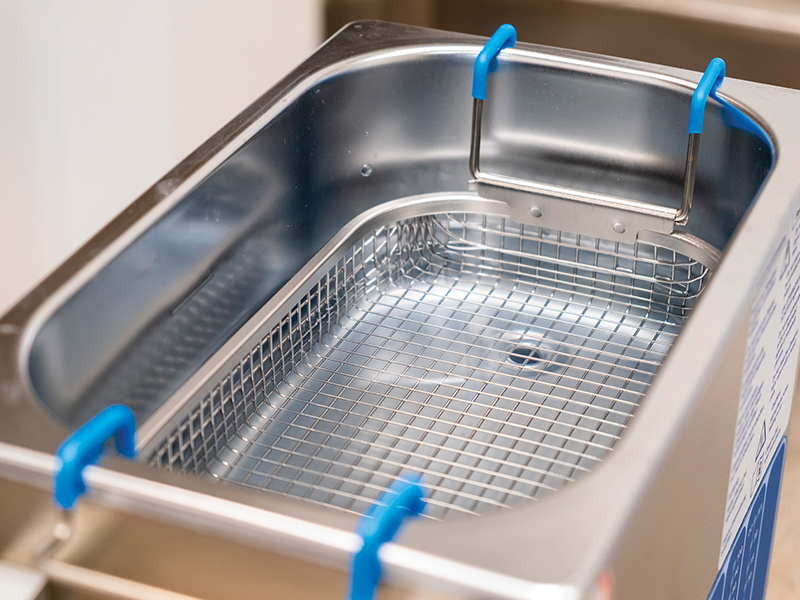
Ultrasonic Cleaner Maintenance
The following are basic equipment guidelines; none of these suggestions supersede the instructions from the manufacturer.
- Change out the cleaning solution frequently—daily if needed.
- Do not let the water level get too low. It should always be about 1 to 1.5 inches from the top of the tank. The heating element is glued to the inside of the tank, and if the water level drops too low, the element can overheat and burn out. Keep a pitcher of tap water next to the ultrasonic to make it easy to top it off as needed.
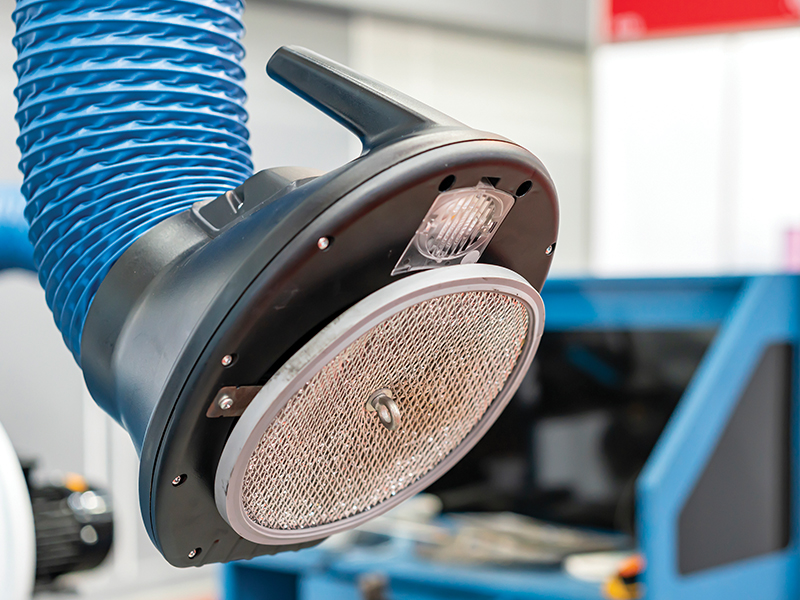
Dust Collector Maintenance
The following are basic equipment guidelines; none of these suggestions supersede the instructions from the manufacturer.
- Keep the filters clean and change them regularly to maintain good air suction. Remember: There is precious metal in that dust, which means every bit collected adds to your bottom line.
- Some dust collectors with bag filters have a foot pedal on the side of the machine. Every time you turn off the machine, step on the foot pedal three or four times to shake dust off the filters and into the collection pan. By doing so, you collect more precious metal, your filters last longer, and your dust collector performs better for a longer period of time.
Those tools should stay close to the machines they’re used to service, says Burgard, “where the people who need to perform those operations will be able to have them and find them.”
“It’s a good idea to make a toolkit that stays near that piece of equipment,” says Bradford. “If you have all your casting machines in one area, or all your vacuum pumps in one area, then it makes a certain amount of sense to keep the vacuum pump oil in that area as well as a toolkit to go along with it to open up those machines.”
Have Backups
We all plan for perfection: that our computers will always run perfectly, that the vacuum caster will never fail. But, of course, Murphy’s law inevitably comes into play, and despite your maintenance care, sometimes a piece of equipment will run into an issue that forces you to shut it down.
For that reason, it always pays to have a backup.
“Imagine you have a casting shop, and you have one casting machine that is big enough to run your entire production,” says Bradford. If that casting machine fails, “you’re in a pretty precarious position, [because] this machine is integral to your workload.” Casters, says Burgard, “create the work for everyone else. If you’re not casting, then you’re kind of out of business.”
Burgard once worked for a manufacturer who had a backup for every piece of machinery. “When something went down, we just pulled over the spare machine, plugged it in, and got it up to speed. That way we could get the products going through the line.”
That doesn’t mean that you have to buy two of everything. But when it comes time to upgrade or replace equipment, as long as the previous piece of equipment is still usable, find a place to store it. Then, if you ever need a backup, all you have to do is pull the old one out. “Keeping the old one around and operational is a smart move,” says Burgard. “Otherwise, you could be dead in the water.”
“Even things like consumables,” notes Bradford. “Have backups of those as well. If you have to wait for [a consumable] to show up at your facility, that could be days that you’re down.” As a rule of thumb, he adds, “my watchmaking instructor used to say when you buy replacement parts, you buy one to break, one to use, and one to store.”
“At the end of the day,” says Dupuis, “what you really need is strong documentation and training that is an arm’s length away that you’ve gotten from either your equipment provider or the equipment manufacturer.”
Then make sure the information the operators need to maintain a piece of equipment is right there in front of them along with the tools and supplies necessary to do the job. If you do, your equipment will give you many years of excellent service.