

Using Technology to Lighten Your Load
Stacking the Deck
Build a technology stack uniquely suited to your business
By Andrea Hill
If you feel like you’re doing more than ever before—with less people—you’re not alone. The most recent Goldman Sachs 10,000 Small Businesses survey paints a picture of business owners facing burnout. Fifty percent of small businesses report that their most significant problem is finding and retaining qualified employees.
It’s no surprise that 78 percent of small businesses surveyed by Forbes reported that investing in technology was a priority for 2022. The right technology stack can improve and automate internal workflows, support continuous marketing and marketing innovation, and provide business owners with the data they need to make better decisions.
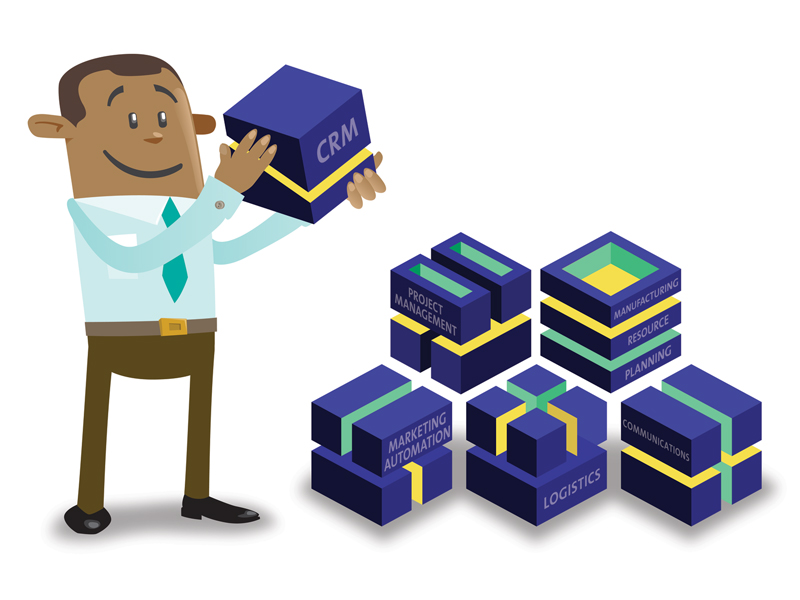
Note that I referred to a “technology stack.” There was a time when the holy grail of technology was to have one system that could do it all: accounting, operations, human resources, production management, proposals, customer management, and, of course, sales. But those one-size-does-everything-and-fits-all systems end up requiring massive customizations, are a challenge to maintain, and lead to high cost-of-ownership.
Today’s Technology
Today, the best practice is to use a quality main system to manage core business operations and accounting, but to implement specialty programs, such as customer relationship management (CRM) and marketing automation, manufacturing resource planning, logistics, communications, or project management software, for specific business needs.
The use of multiple, linked systems is made possible by Application Programming Interface (API), which allows computer systems to share data. API has been around since 2000, but it really took off around 2006, and since then all serious business software developers build API technology into their platforms.

Today, any size business can take advantage of best-in-class software without employing an entire department of technical staff. You can automate administrative processes, create dynamic marketing campaigns, share sales data and inventory between your website and accounting system, and get all your employees and business partners on the same page. You can build a tech stack uniquely suited to your business. Here are just a few examples:
Task Visibility and Control
A jewelry manufacturer has several teams representing its various brands and programs. The teams meet regularly with clients, and those meetings lead to task lists. They also field customer requests via e-mail and phone calls. In the past, those task lists lived in individual notebooks and memories. Even once a CRM was implemented, salespeople regularly forgot to enter the tasks in the CRM.
The company implemented a meeting software called Hugo, which allows everyone in a meeting to contribute to the notes as a meeting is taking place. Tasks recorded during meetings are automatically sent to the CRM, including due dates and responsible parties. Additionally, a link between their e-mail system and CRM allows them to convert e-mail messages into CRM tasks. Team members still must do the work of creating tasks during meetings or converting e-mail to tasks, but it’s so much easier with the right tools that compliance has increased dramatically.
Better Online Support Management
A distributor/supplier has long had a chat feature on its website. During working hours, those chats are answered by customer support agents, but during evenings and weekends the chats triggered e-mails requiring responses on the following Monday. Over time they experimented with methods of distributing the e-mail load, none of which were satisfactory.
Today, automation does most of the work for them. The after-hours chat response now includes a feature asking the nature of the inquiry and offering instant answers for hundreds of common questions. If the customer’s inquiry isn’t in the library of responses, the chat box informs them that they will get a response Monday. Instead of triggering e-mails, chats are converted into tasks in their CRM assigned to specific team members based on the nature of the inquiry.
Better Prospect Nurturing
We all know it’s critical to respond quickly and effectively to every lead, but precious leads are wasted every day. A retail owner was ready to pull all the money she was spending on AdWords and Facebook advertising until she realized the ads weren’t failing—their follow-up was.

Today that retailer channels all ad traffic to specialized landing pages designed to incentivize store visits and capture e-mail addresses. Every e-mail address collected triggers a task in the CRM for a salesperson to reach out to the customer, and a series of once-a-week warm and personalized e-mails to the prospect. When salespeople collect contact information in the store or at events, the contact information is entered directly into the CRM via their mobile device, which instantly triggers a follow-up task and a slightly different series of welcome e-mails.
A good CRM system can cost anywhere from $200 to $800 per month depending on the size of your contact list. Meeting management software can cost between $6 and $10 per user per month. Website chat bots cost between $39 and $79 per month. When you compare those costs to the costs of hiring additional staff, dropping the ball on important customers, or failing to convert new leads to customers, it becomes a no-brainer. If you’re tired of trying to do too much with too little, let technology bear some of that load for you, and get back to focusing on the things that only you can do.