

Evaluating CAD Surface Transitions and Smoothness
Rhinos and Zebras and CAD, Oh My!
Using Zebra for visual surface analysis
By Darla Alvarez, GIA Jewelry Design & Technology Instructor
Smooth transitions are a must in jewelry design, but sometimes it is difficult to discern where continuity and surface anomalies exist. We will look at a Rhino tool that is up for this challenge, Zebra.
Zebra is one of Rhino’s visual surface analysis commands. The command evaluates continuity and surface smoothness by placing a stripe map on the model. We can then evaluate how two surfaces transition between each other as well as the overall quality of a single surface.
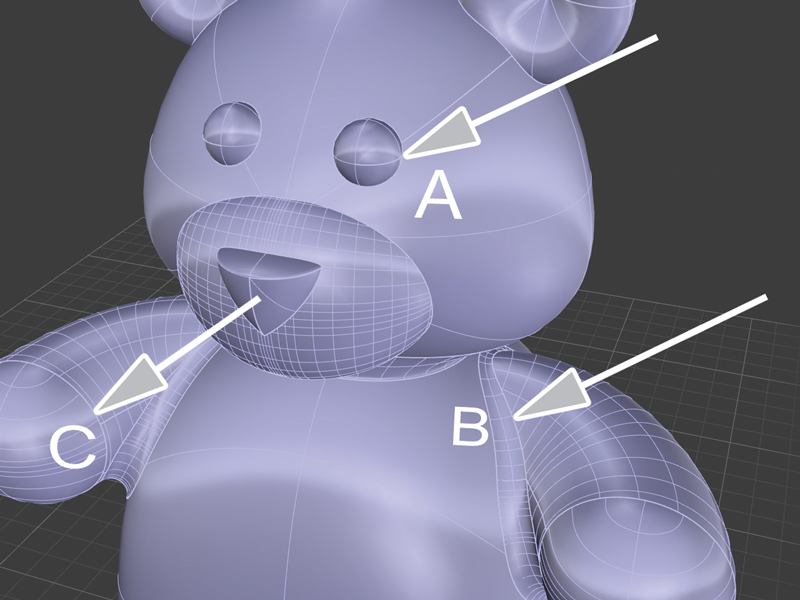
1. Using our bear charm as an example, let’s look at three different transitions between parts of the body. A has no surface transition between the eye and the head. B has a filleted surface transition between the arm and the body. C is a blended surface cap set to curvature on the end of the arm.
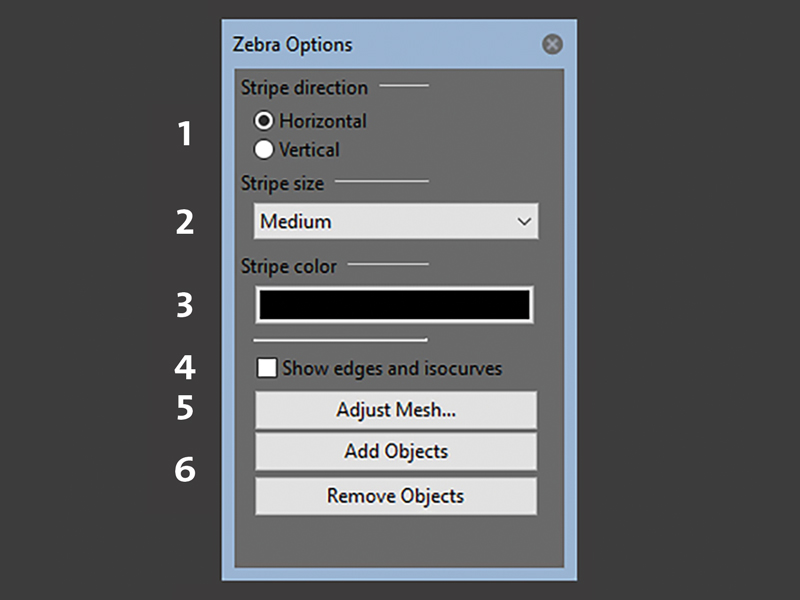
2. Let’s now apply the Zebra stripe map by going to the Analyze menu, Surface, and clicking on Zebra. The command line asks us to “Select objects for zebra stripe analysis,” which in this case is the bear. The Zebra dialog box has options to change how the stripe analysis is displayed. The first three options set how the stripes will look on the model. We can set (1) the direction, (2) the size, and (3) the color. Option 4 turns on edges and isocurves on top of the stripe map, which allows us to see where surfaces meet and what kind of surfaces they are. Option 5 opens the Polygon Mesh Options dialog box. We can increase the mesh density of the model, which can improve the fidelity of the stripe analysis. Option 6 allows us to either add or remove objects from the analysis without closing out of Zebra. In general, the default settings are more than sufficient for providing the visual input we need, but it is good to be aware of these options, should the need arise.
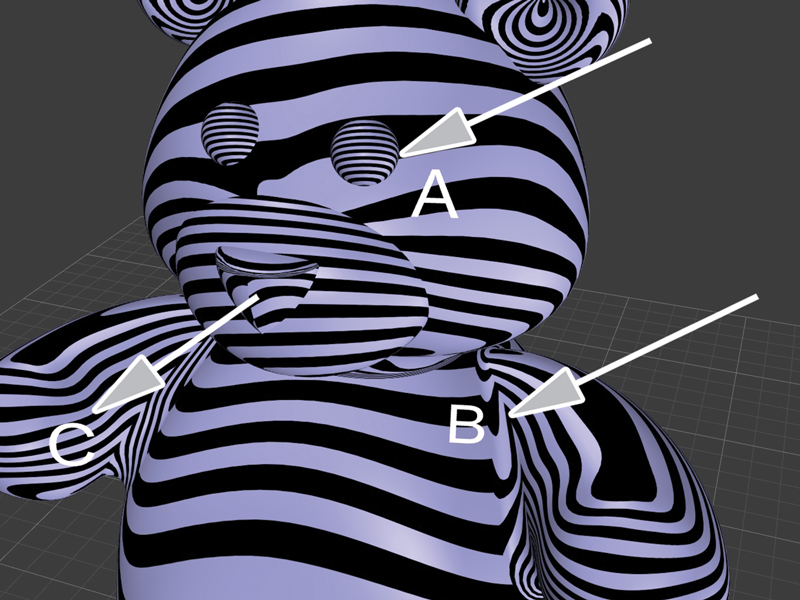
3. With the stripe map applied, we can see how Zebra displays these various surfaces from our previous image of the bear. Surfaces that share only positional continuity (A) show as mismatched stripes at the point of connection. Surfaces with tangential continuity (B) show matched stripes that turn quickly with sharp corners at the point of connection. Surfaces with curvature continuity (C) show matched stripes that continue smoothly over the point of connection.
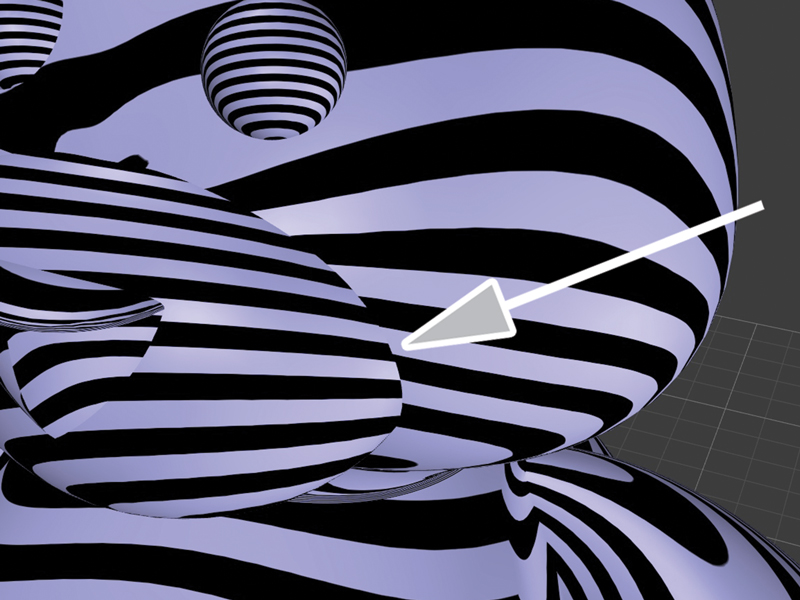
4. We don’t necessarily need to fully understand the technical nature of the analysis. What is important is that we recognize that anywhere that the stripes don’t match or flow smoothly is an area that may not appear perfectly smooth in a 3-D print of the model. We can then decide if this is an area we want to alter. For example, the transition between the bear’s muzzle and head is not smooth. Zebra makes this clear with the mismatched stripes between the two surfaces.
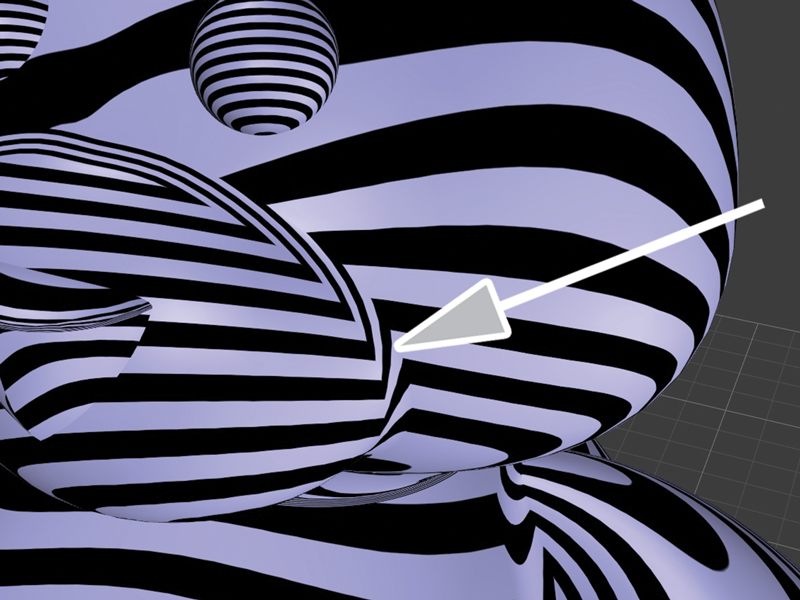
5. We can change this by applying a fillet between the surfaces, which is smoother, but not completely so, as indicated by the matched stripes that change direction quickly with sharp corners.
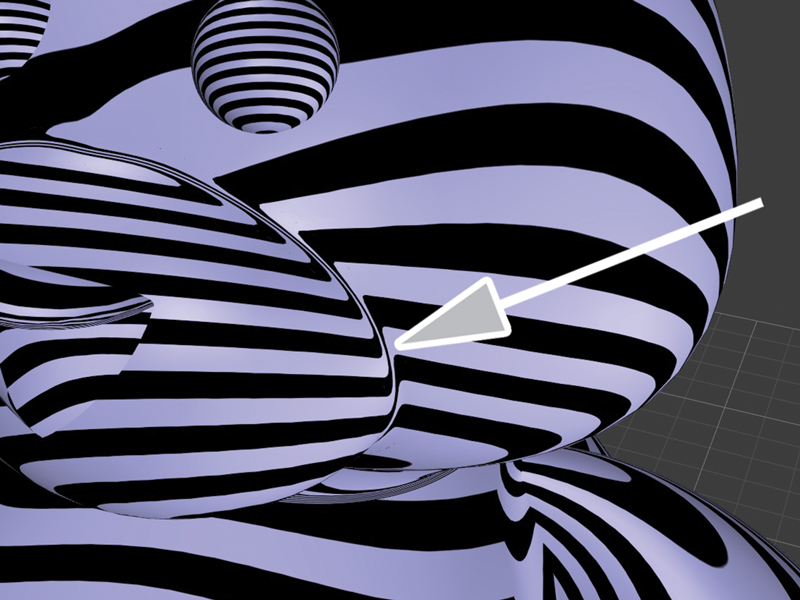
6. Alternatively, we can apply a blended surface between the muzzle and the head, which the continuous matched stripes show is completely smooth.
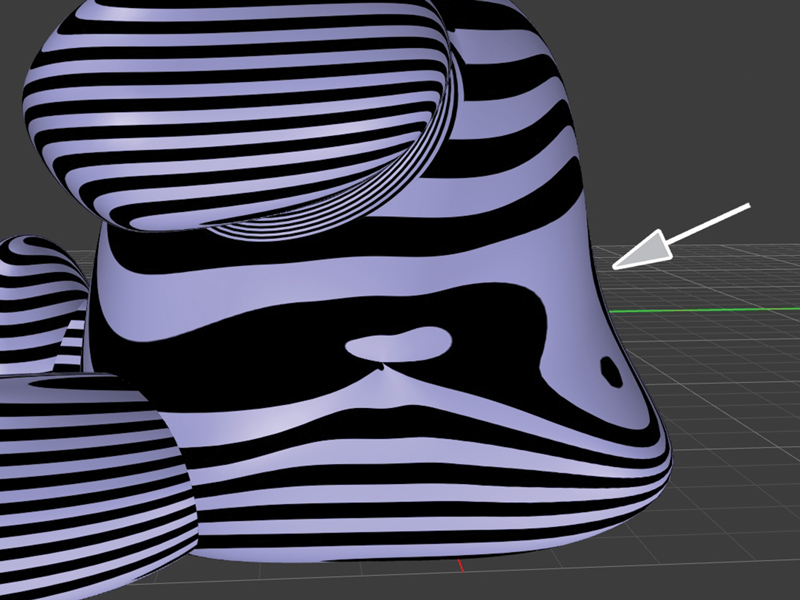
7. We can also assess how smooth a single surface is. For our example, we will look at the back of the bear, which is concave in the middle and convex at the tail.
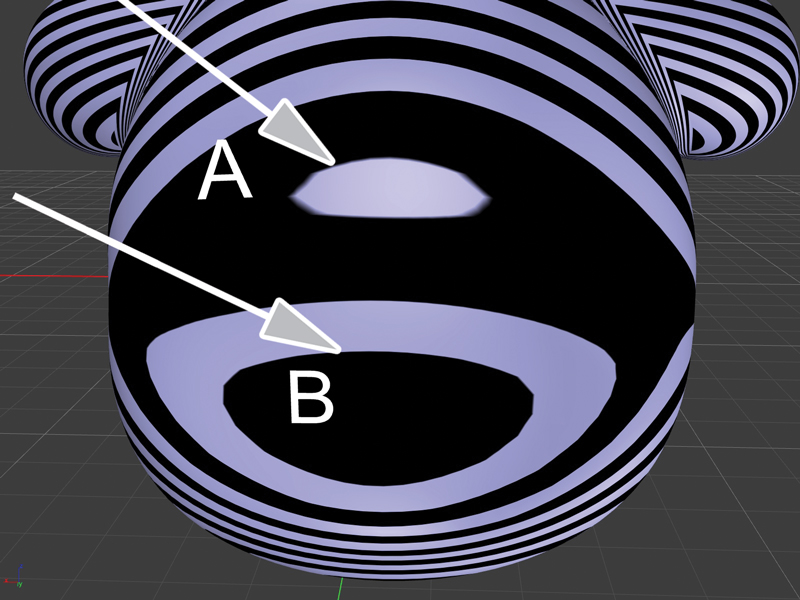
8. The stripe analysis, as seen from the back of the bear, reflects this geometry by displaying islands in both the concave (A) and convex (B) regions of the model.
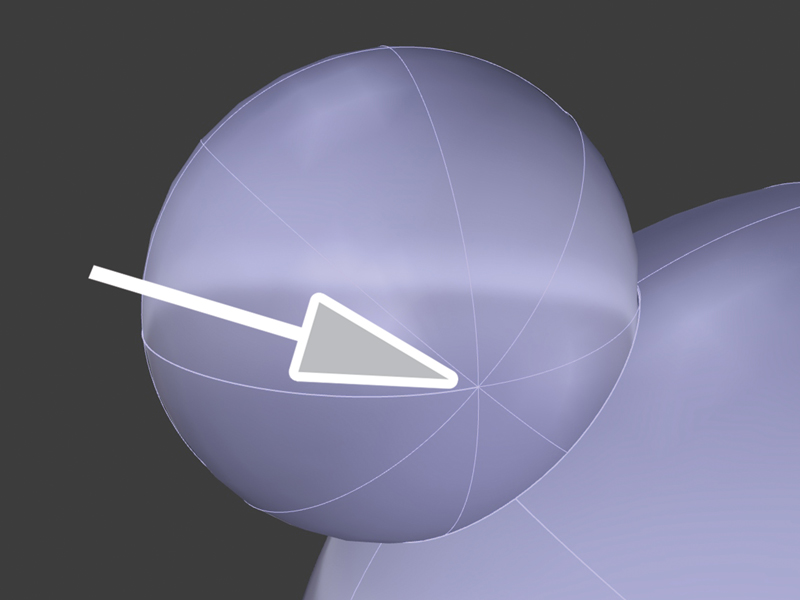
9. Let’s apply this to a less obvious instance. The back of the bear’s ear appears perfectly smooth. After all, the ear was created using a sphere.
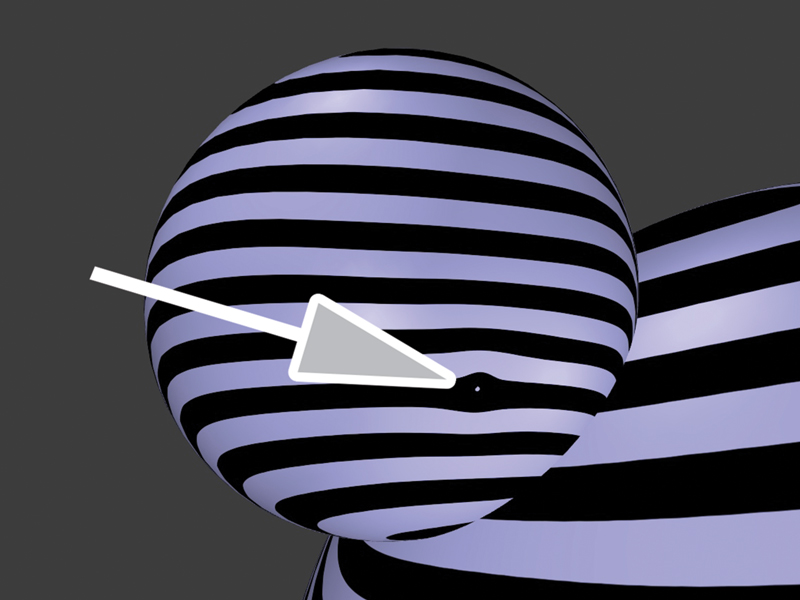
10. However, once we apply Zebra, the uneven stripe pattern coupled with the island reveals that the ear actually has a divot, which may be visible in the 3-D print. This accidental surface incongruity was overlooked during modeling because it was not obvious in common modeling shade modes. Now, we have the opportunity to fix this prior to prototyping.
Jewelry demands well-crafted surfaces. Zebra is designed to help us meet those demands by informing us about the quality of our surfaces. The rest is up to us.