

Shadow Magic
Creating a matching wedding band with CAD
By Darla Alvarez
The perfect wedding band to match the perfect engagement ring remains perennially popular with brides, even when said band does not yet exist. For those of us who rely heavily on CAD/CAM, creating a matching shadow band can present the difficult challenge of melding the real with the virtual. However, the clever custom jeweler can get around these struggles by using the real ring as the virtual model.
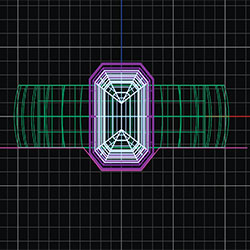
1. If you are matching a simple design, it is often easiest to first create a wireframe of the engagement ring in CAD. A planar curve (in pink) is then placed along the ring model or picture as the inner boundary of the band.
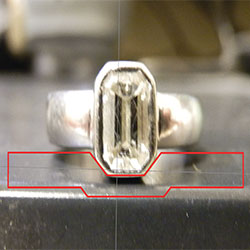
2. Note: As an alternative (especially if the ring has a more complicated design), you can import a picture of the ring into the program and scale to the appropriate size, then add the planar curve.
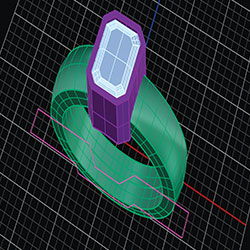
3. In this instance, the initial wireframe is expanded to the desired finished width using the curve offset function, and then joined into a closed curve. Be sure that this new fully closed planar curve is longer than the width of the model you are matching.
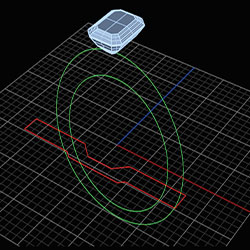
4. Based on the tracing, create both an inner and an outer ring rail that mimics the height dimensions of the final wedding band. These two curves are planar curves set perpendicular to the initial closed planar curve.
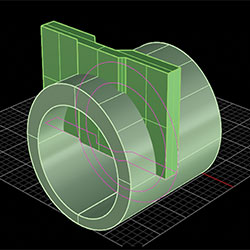
5. Extrude the initial closed planar curve upwards only, and then extrude the inner and outer ring rails together in both directions. Make sure both resulting polysurfaces intersect with one another.
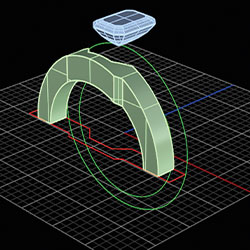
6. Use the boolean intersection function with both polysurfaces so that the only shape that remains is where the two meet. This is the top half of the shadow band.
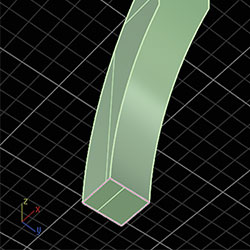
7. Turning to the bottom of the polysurface, use the duplicate edge function to create two closed curves that outline the ends of the ring. These will become profiles that will form the bottom of the shank.
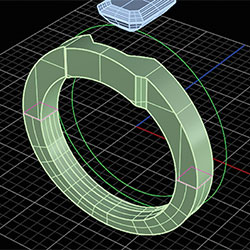
8. Sweep the newly created closed curves at the halfway point of the ring using the inner ring rail for their path. These curves do not necessarily need to be placed on the ring rail to produce the bottom of the shank.
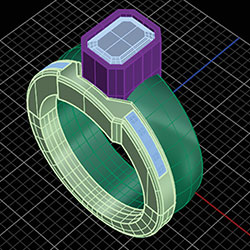
9. Add any stones or customer requested details to the band, and finish off edges to reveal a perfectly matched shadow band.
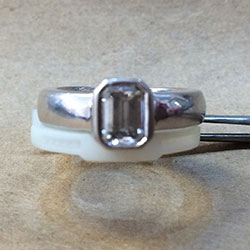
10. Should your client decide to change aspects of the ring, the resulting model is easily modifiable through CAD without the trouble of having to hand carve an entirely new model.