

Sensible Sparkle
Tips for setting halos and side diamonds using CAD
By Lee Krombholz
Halo and micro-pavé engagement rings and wedding bands are very popular with young consumers today. Historically, these styles have been created using what jewelers call “plate setting,” which is a process of setting diamonds into a plate of metal by laying them out by hand, drilling the plate, burring the diamond seat, and engraving the surface metal to create prongs. Using CAD/CAM, you can do this style of setting much more efficiently and accurately when creating a halo ring or setting side diamonds.
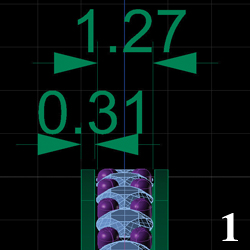
1. Using the example of a 2 mm wide by 1.5 mm tall band, you can lay out the diamonds quickly in the CAD program by inputting stone size (1.3 mm in this example). Here I used a minimum edge of 0.3 mm and 0.5 mm prongs.
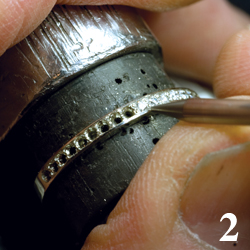
2. Without CAD/CAM, you’d have to lay out the diamonds by hand and machine the ring to prepare it for setting. This would include removing the center section of metal between the diamonds with a round bur and seting the stones with a setting bur. While in some cases, such as with an eternity band, it might be more cost-effective to simply buy a ring blank and do this process by hand, when it comes to halos and decorative side diamonds for custom designs, mastering the CAD approach is essential. The cast CAD model will look like the example shown here, which is ready to set.
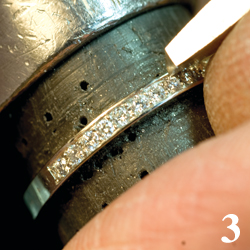
3. Even though I use CAD to plan out and prepare my designs for setting side diamonds, I still seat the diamonds using a setting bur and set them with a #5 beading tool. I always do the milgraining by hand because I hate the look of milgrain added in the CAD model. Also, I bright cut the inside channel wall. This deliberate handwork adds a level of craftsmanship that I feel is essential to striking a balance between computer and bench jeweler.
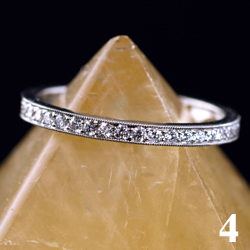
4. The finished eternity band is an example of this approach to diamond setting, which is most advantageous when creating custom designs featuring diamond side stones and halos.