

Pastel Perfection
Creating stellar prong settings on a massive shank
By Roland Auer
When composing settings for big gems on a ring shank, it looks best if the settings integrate seamlessly with the shank as opposed to looking tacked on. Without using a CAD program, it can be tricky to place the prongs in the right positions on the shank so you can set the gems exactly where you want them, which is why jewelers usually opt to make the settings individually and then solder them to the shank. In this project, you’ll find a trick to make positioning the prongs for a single three-stone setting easier.
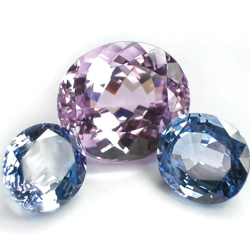
1. For this ring, I am setting one morganite (about 4 carats) and two blue sapphires (1 carat each).
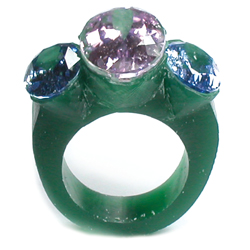
2. Start by positioning the gems in a piece of ring wax and hand filing the ring model to fit the proportions of the gems. The material directly beneath the gems will not be used in the finished ring, but you will need it for positioning the prongs.
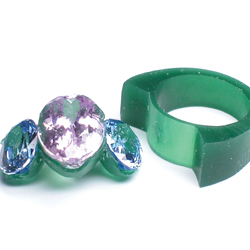
3. Carefully cut out the part of the ring where the gems are set and finish the shank for casting. Be careful not to take away material from the shank when cutting out the setting. Once removed, file the wax setting so it’s tight around the gems and doesn’t protrude beneath them.
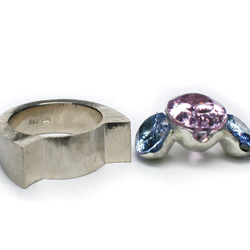
4. Cast the ring shank and the setting separately, using a cheap metal to cast the setting because it will be used for positioning only. File the cast ring shank, but don’t sand and polish it yet because you might scratch the surface when drilling the prong holes.

5. Using soft wax, glue the gems into the positioning setting, then superglue the setting onto the shank. Now you can easily hold pieces of gold wire to the gems and check the best positions for the prongs. Mark the starting points of the prongs on the shank beneath the gems. Before drilling the prong holes in the shank, remove the gems but leave the positioning setting in place, as it will guide you to drill at the correct angles to the girdles of the gems.
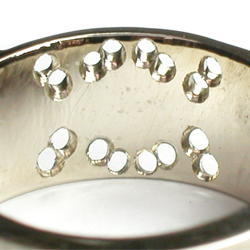
6. After drilling all the holes into the shank, decide if you want to solder or laser weld the prongs into the holes. If you choose to solder, you can bind the prongs to the positioning setting for soldering to keep the angles accurate. If you laser weld, mill the prong holes into little bowls on the inside of the shank (as shown).
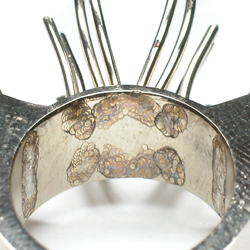
7. The little bowls create a gap between the prongs and the shank that you need to fill with additional material of the same alloy. Take care that the gaps are deep enough so that the weld point is secure. Begin by welding deep into the gap using a small beam (about 0.7 mm). To add material (I use a 0.2 mm wire of the same alloy), use a slightly larger laser beam (about 0.8 mm). For smoothing the surface after adding all the material, use a large laser beam (about 1 to 1.2 mm). Once all the prongs are welded to the shank, you can adjust and bend them into position. To check the fit, place the gems and see if all the prongs are touching the girdles at the positions you desire.
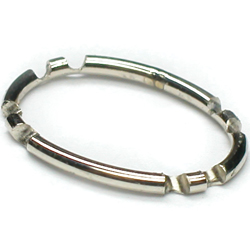
8. Fabricate oval rings to place beneath the gems, carving out the areas where they touch the prongs.
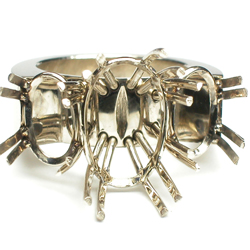
9. Double-check the positions of the gems in place to ensure that you haven’t changed the shape of the setting by placing the oval rings. If it looks good, use the laser to tack the rings to the prongs carefully, and then solder them in place.
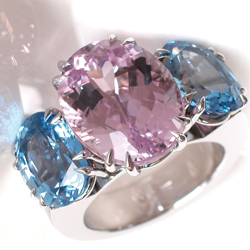
10. When you set the gems at the end of this project, you will see the benefit of having made the setting using the positioning component. You should be able to place them without adding any pressure and carefully bend the prongs over them. At the end, there is no unattractive gap between the gems and they are at the exact height you envisioned. After shaping the ends of the prongs and polishing, the ring is complete.