

Painting a Picture
Rendering emerald cuts and heart-shaped stones
By Rémy Rotenier
In previous issues, I’ve demonstrated how to render round gemstones. Now, I’d like to demonstrate how to use many of those same techniques to render two very distinct and popular gemstone shapes: the emerald and heart-shaped cuts. While seemingly simple shapes, they analyze the light in different ways
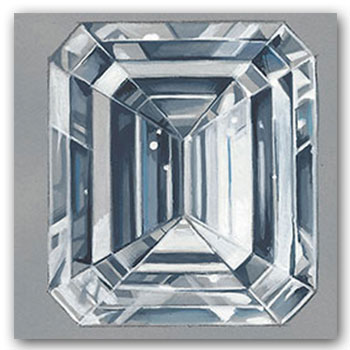
The emerald cut has a simple geometry, and instead of the pinpoints of light typical of round gemstones, these cuts reflect long linear slabs of light in step cuts. Both square and rectangular emerald cuts tend to reveal more of their inclusions and growth patterns.
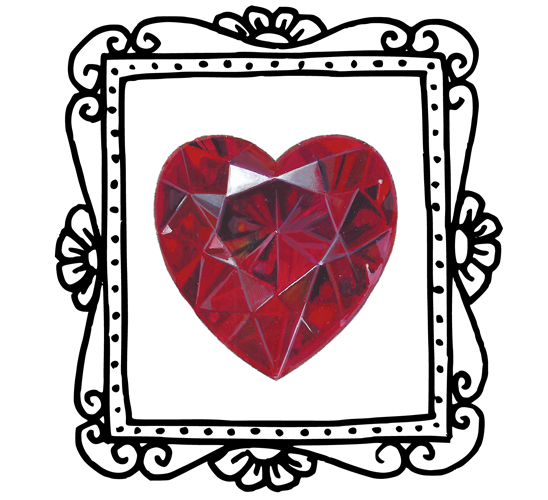
The heart-shaped gemstone is a romantic cut where symmetry between the two sides or lobes is important. The shape attracts attention when the cleft is sharp and the bottom part of the stone has a bit of roundness.
For this project, you will need regular white copy paper, a 0.3 mm mechanical pencil, a 0.5 mm mechanical pencil, a transparent ruler (which helps you see more of the design as you work on it), a thin eraser (such as a 2.3 mm round Mono Tombo Zero) for erasing in tight corners and lines, a kneaded eraser that can be formed into any shape for lightening up a design without completely erasing it, a couple of rolled paper stumps in different gauges, and a protractor for checking your angles.
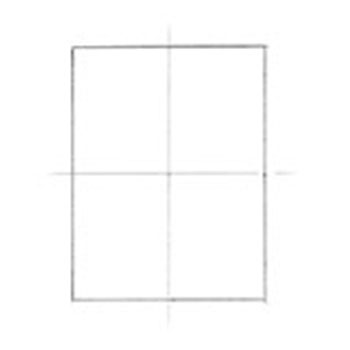
Step 1
Using your ruler and your 0.3 mm pencil, draw a vertical and a horizontal line to form a cross. For the horizontal line, a see-through grid ruler will help keep the lines perpendicular. Then draw a 3 cm by 3.8 cm rectangular box around the cross.
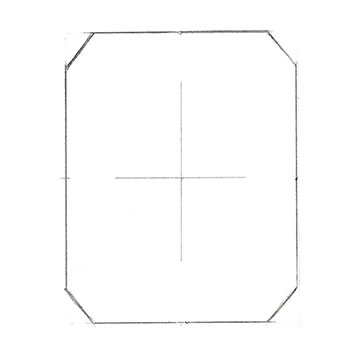
Step 2
Cut the corners. To make the cuts symmetrical and at the same angle, draw one side and use tracing paper to transfer to the other side. Cut a piece of tracing paper to generously cover your drawing and trace the parts that you want to copy. Make a few reference marks on the tracing paper so you can reposition it properly on the other side. Lift the tracing paper and flip it over, placing the drawn side against your original drawing. Use your reference marks to be sure you have aligned the parts accurately and hold it down tightly at the top and bottom. Using the side of your pencil as a burnisher, firmly rub the tracing paper over the back of your drawing. Check to see that the drawing has transferred by lifting one side of the tracing paper while continuing to hold the other side in position. Once your markings have transferred enough to serve as a guide, darken the transfer marks with your pencil to match your first marks. With the thin eraser, erase the edges as well as most of the original vertical and horizontal lines. Leave a cross in the center.
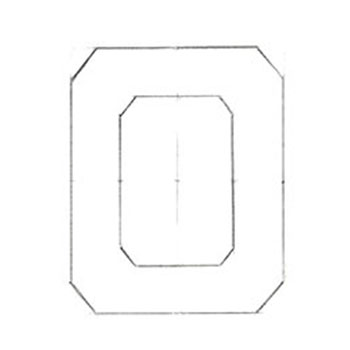
Step 3
Draw the table facet inside the stone by repeating the steps above. Draw a rectangular box inside your original 3 cm by 3.8 cm box, cut the corners, then erase unneeded lines. The shape should echo the outside design with the same shape and proportions. Keep only a bit of the original vertical line and a dot that tells you where the center is.
Step 4
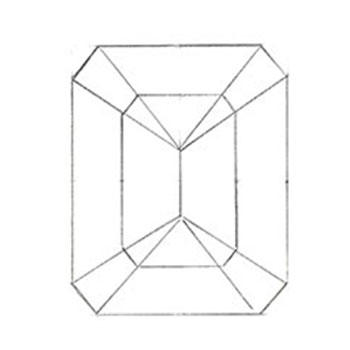
Create the line indicating the culet under the stone by drawing over your original vertical crossing line. The culet should be about one half the distance of your table facet. Measure this from the center point to be sure the top and bottom portions are even. From the end points of the culet, draw lines connecting to the outer corners of the stone.
Step 5
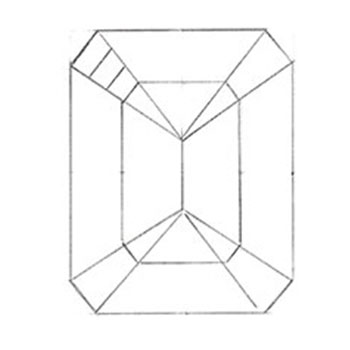
Starting from the upper left, draw two parallel lines dividing the corner into three evenly sized facets.
Step 6
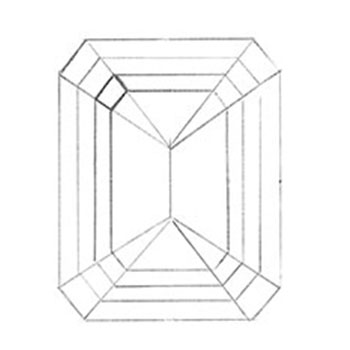
Use these three facets as guides and continue faceting the stone from there. Make sure all the lines are parallel and are as symmetrical as possible. It can be useful to use the tracing paper to mark the points where the lines cross. In the upper left corner, mark the facet along the table that will be the highlighted facet. I chose this one because of the convention that the light is coming from the left at 45 degrees. The longer facets on either side of the highlighted one will be the lowlight facets that we will render in gray.

Step 7
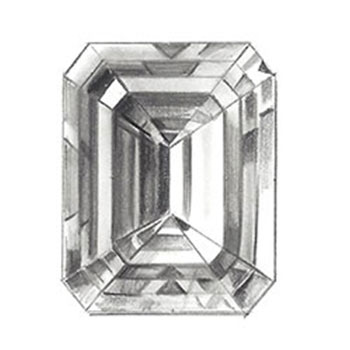
Look at the image and squint. Squinting helps us break things down and see values in a simpler way. For this step, use your 0.5 mm pencil to fill in the lowlight facets. Leave the highlighted facet in white. On either side make the facets light gray. Then use the paper stumps to smooth things out.
Note that we want to have darker values on either side of the highlighted facet and on the bottom right corner of the table. Remember that using darker tones under the highlight will make the stone look transparent. Inside the table there will be dark on the left and lighter tones on the right. You can work the values gradually to transition between the light and dark areas. In my opinion, this is the most important step for the rendering because it establishes transparency and sculpts the stone, giving it dimension.
In this step we won’t use very dark values as we are saving these for last.
Step 8
Now we can go with darker values here and there and sharpen some of the lines. Use your 0.3 mm pencil and draw more precise forms. Add some reflections and echoes inside the stone. It can also be helpful to look at photographs of emerald-cut diamonds to get inspired on how to jazz up the stone.
The Heart-Shaped Cut
Step 1
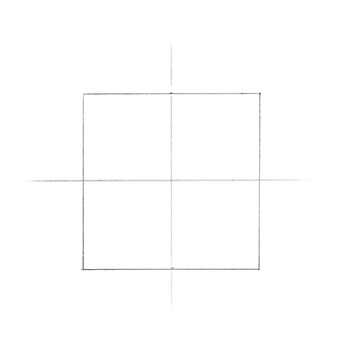
Use your ruler to draw a vertical and a horizontal line. A heart-shaped stone fits in a square. In this example, I drew a 5 cm square.
Step 2
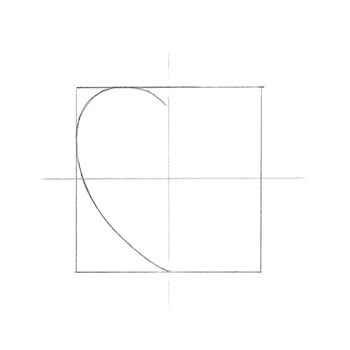
Draw half of the heart making sure the bottom part is a bit rounded and not too pointy. At the top, draw a well-defined cleft.

Step 3
Trace that first half of the heart, and make a few reference points on your tracing paper so you can properly place the shape inside the square. Flip the tracing paper over so that the drawing on the tracing paper is touching the original drawing. Hold the tracing paper down firmly and use the side of your pencil to rub the tracing paper and transfer the other half of the heart.

Step 4
To start drawing the table and the star facets around it, draw a crisscross toward the cleft with a little flat edge on each lower end. Mirror that design a bit lower than the middle point of the heart. Make the angle of the lower design a bit steeper.

Step 5
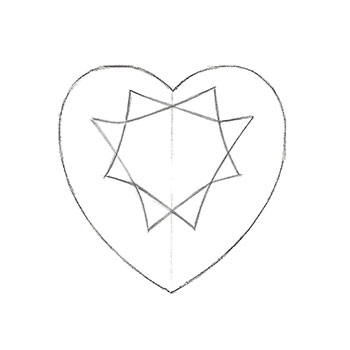
Join the lines on the left and right as shown.
Step 6
Join the remaining lines as shown.
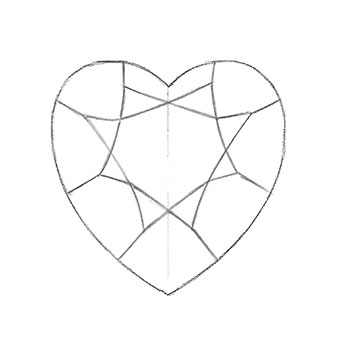
Step 7
Draw straight lines from the tips of the star facets to the outline of the stone.
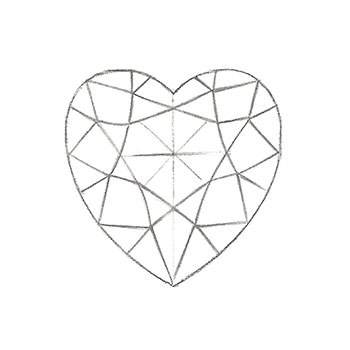
Step 8
Create the kite- and triangle-shaped facets in between.
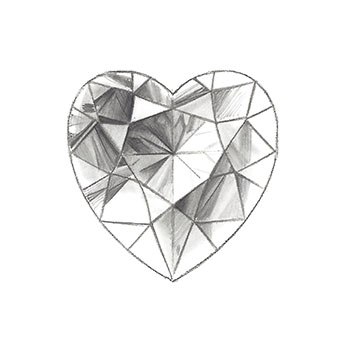
Step 9
Look at the image and squint. This will help you see where to place the dark facets. With the 0.3 mm pencil, mark the highlighted facet and shade the two star facets on either side of it in light gray.
To make the heart-shaped stone look transparent, shade it darker under and around the highlighted area, on the bottom right, and along the edges of the table. Use your 0.5 mm pencil and a paper stump to “sculpt” these darker areas.
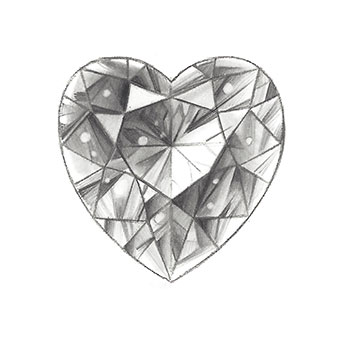
Step 10
You can use your 0.3 mm pencil to jazz up the stone with fun details and crisper dark values throughout. Spin your 2.3 mm round eraser to create small round reflections in some of the facets.