

Hand in Hand (Part 1)
Old World craftsmanship meets new technology in this engraved band
By Charlie Herner and Jason Marchiafava
Editor’s Note: This is the first in a two-part series on melding old world techniques and new technology to efficiently create an engraved man’s band with a handcrafted feel. For beginner and intermediate engravers, layout work for engraving can be a tedious task. By using CAD for the preliminary layout and milling the general engraving pattern into the model, jewelers can save a significant amount of time at the front end of the process. After casting the ring, the jeweler can perfect and adjust the engraved pattern to his liking, adding the handcrafted feel desired, but in much less time than it would take to fabricate the piece from scratch.
In the following article, Charlie Herner explains how he modeled and milled the engraved band. Click here to read Part 2, in which master craftsman Jason Marchiafava takes the ring to the bench for hand work and finishing.
In an attempt to illustrate how the New Qorld technology of CAD/CAM can work in concert with the Old World technique of hand engaving, saving time without sacrificing a handcrafted feel, we decided to test our theory on a gent’s band. In the following first phase of the project, you’ll see how the pattern was developed in CAD and ultimately reproduced in a milled wax model.
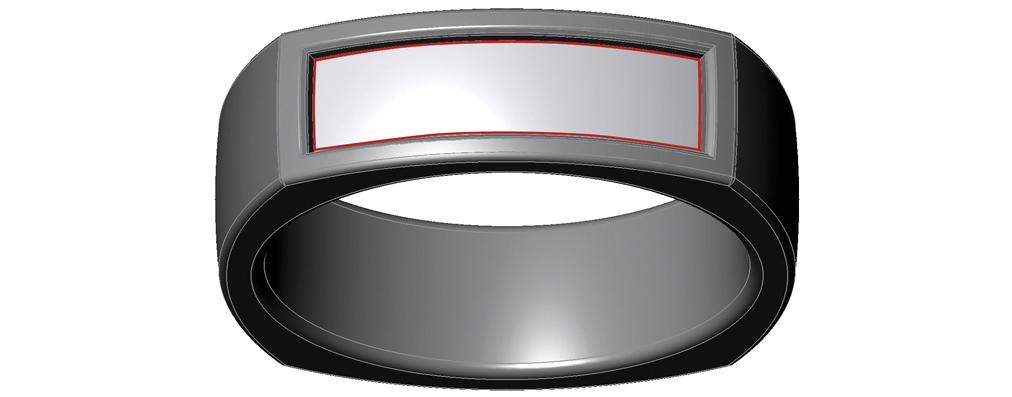
1. We chose a Euro-style band with a flatter profile for this project because it lends itself well to photographing engraved detail. I began by mocking up a model with a recessed panel to be used as a template to create the line drawing of the engraving pattern. The red lines denote the rectangle in which the engraved drawing will sit.
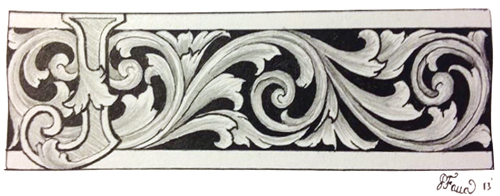
2. Jason drew the original sketch for the engraving layout by hand.
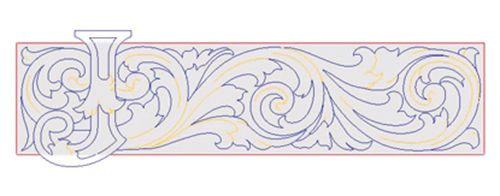
3. I traced Jason’s sketch in Matrix and refined it using interp curves to smooth out any minor irregularities. In doing so, I tried to stay as true to the original sketch as possible.
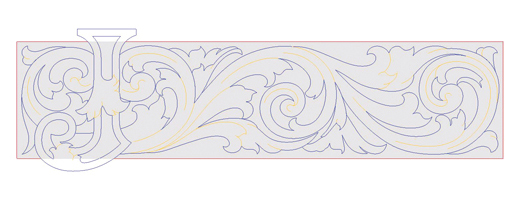
4. In this close up of the CAD interpretation of the hand drawing, you can see the refined curves in the layout. Note that one major benefit of creating the CAD file for this layout is that you can keep the same general background but modify the letter to suit your client’s needs. The “J” could easily be changed to a “G,” for example, or even a numeral.

5. I extruded the blue lines to produce the various parts of the engraving panel. I then tiered the various parts at different heights to set things up nicely for relief engraving. The “J” (dark) is 1.15 mm above the recessed surface. The medium dark areas are 0.75 mm above the recessed surface; once placed back on the ring, they will be the same height as the outer shank’s surface. The medium light areas are 0.5 mm above the recessed surface. The light areas are 0.25 mm above the recessed surface.
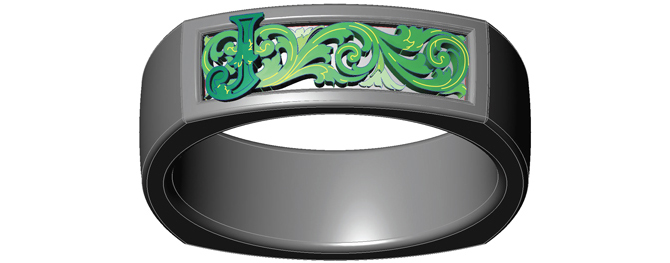
6. Since I created the base surface of the engraving panel to have the same geometry as the slightly domed recessed surface of the ring, I was able to flow the extruded engraving shapes and curves from the base surface and minimize distortions. In creating the mill path, I used the yellow curves to tell the mill where to scribe the major lines into the wax once the rotary path was completed. The scribed lines were milled into the piece at a depth of 0.15 mm. This will ensure that they are neither too deep nor too shallow when the casting is cleaned up and prepped for the engraving process.
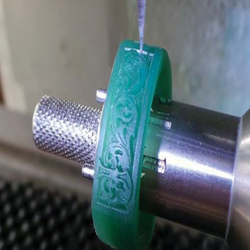
7. This image shows the mill in action, scribing the major guidelines into the wax after the rotary mill path was finished.
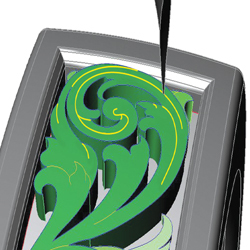
8. Here you can see how I set up the cutter to follow the yellow lines in the mill path.
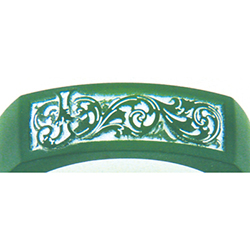
9. When the wax was ready, I applied some cornstartch to the engraving panel to better illustrate the various depths and base scribe lines on its tiered surfaces. You can see here how a lot of detail and dimension can be added first in CAD, only to be perfected by hand on the cast piece.
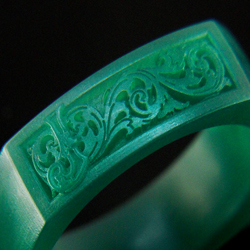
10. The finished wax is off for casting in Stuller’s Continuum sterling silver. All told, the CAD modeling part of this project took me about three hours. For Jason to execute the same pattern by hand, including fabricating the “J” as a separate component and soldering it onto the base engraving, it would take approximately seven hours–a time-savings of four hours. That said, the repeatability and customization options of this starting-point pattern are the real beauty of combining CAD and hand engraving. But more on that here!